usb c hub hdmi
Home » Products » Docking Stations » 5 IN 1 USB C HUB type c plug with HDMI 4K30HZ + 2 x USB A 3.0 + PD 100W + RJ45 Ethernet 1000Mbps multiport adapter docking station for laptop

loading

Share to:
facebook sharing button
twitter sharing button
line sharing button
wechat sharing button
linkedin sharing button
pinterest sharing button
whatsapp sharing button
sharethis sharing button

5 IN 1 USB C HUB type c plug with HDMI 4K30HZ + 2 x USB A 3.0 + PD 100W + RJ45 Ethernet 1000Mbps multiport adapter docking station for laptop

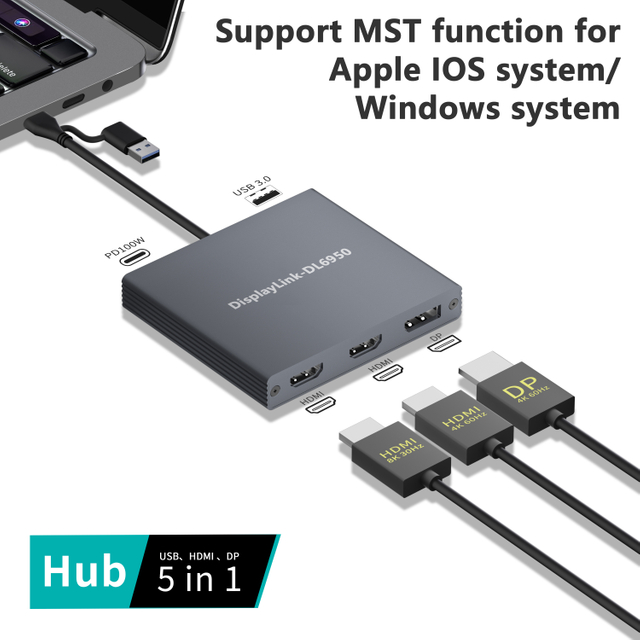
Enhance your productivity with this 5-in-1 USB-C Hub, an all-in-one solution designed for modern laptops and tablets. This ultra-compact, plug-and-play adapter expands a single USB-C port into HDMI 4K, USB 3.0, PD charging, and 1000Mbps Gigabit Ethernet, making it ideal for business, travel, or everyday use.
Color:
Size:
Material:
Availability:
Quantity:
  • YSTC0206(CS)

  • Yuan Shan

  • Charging+Data Transfer+Video Output+Network

Plug
Type C
Tips
Support ODM/OEM
Packing measurements
33*32.5*29cm
100pcs/7kg/box
Gigabit
1*Gigabit 1000Mbps

YSTC0206(CS): desk connections in a compact aluminum body

A compact hub for changing desks

A monitor, a network cable and a pair of USB accessories are often enough to set up a working desk. The YSTC0206(CS) brings those connections together in a 102 × 32 × 10 mm aluminum body that can travel with the laptop.

38


Keep charger input separate from laptop charging power

A compatible charger connects to the USB-C PD input, rated at up to 100W. This figure describes the hub's input rating; it should not be presented as a promise that every connected laptop receives 100W.


5


Two USB-A sockets for everyday peripherals

The two USB-A 3.0 sockets provide up to 5Gbps connections for USB storage and accessories. A keyboard and mouse can occupy the pair, or one socket can be assigned to a storage device. This layout suits a desk that needs a small number of everyday peripherals.

7

Connect a monitor or projector

Use the HDMI output for a monitor or projector, with a maximum resolution of 4K at 30Hz.

6


Use the wired network where it is available

The RJ45 socket supports Ethernet connections up to 1000Mbps. At a desk with an available network cable, it gives the laptop a wired connection alongside the HDMI and USB-A connections.

4


Check the laptop before using HDMI

Before using an external display, check that the laptop's USB-C port supports video output.

0


Previous: 
Next: 

Product Category

Related Products

Related Blogs

content is empty!

Yuanshan Electronic Technology (Shenzhen) Co., Ltd.

Subscribe now to get a gift with your order!

Get An Exclusive 8% Off Your First Purchase

Products

About Us

More Links

Leave a Message
Contact Us

帮助

Contact Us

Telephone/WhatsAPP: +86-13510597717
Mail:seven@yuanshan-elec.com
Address: 8 / F, Bojiexin Industrial Park, No.38 Ping An Road, Guanhu Street, Longhua District, Shenzhen, Guangdong, China
Copyright © 2024 Yuanshan Electronic Technology (Shenzhen) Co.,Ltd. All Rights Reserved. | Sitemap | Privacy Policy