
Thunderbolt 5 Performance Guide
How Fast Is Thunderbolt 5?
Thunderbolt 5 provides up to 80Gbps bidirectional bandwidth. For display-intensive traffic, Bandwidth Boost can shift the link to as much as 120Gbps transmit and 40Gbps receive. Real file-transfer and dock performance are lower than raw link rates and depend on the entire system.
Bandwidth Explained
80Gbps Bidirectional Is the Core Thunderbolt 5 Speed
When someone asks how fast is Thunderbolt 5, the most accurate short answer is: up to 80Gbps of bidirectional link bandwidth. Intel also provides Bandwidth Boost, which can dynamically allocate up to 120Gbps transmit bandwidth and 40Gbps receive bandwidth when the system detects a display-intensive workload.
Do not market 120Gbps as a universal file-copy speed. It is a bandwidth allocation mode for display-heavy traffic, while actual application throughput remains dependent on the complete system.
Shared Link
A Dock Divides Upstream Bandwidth Across Multiple Functions
A modern Thunderbolt dock is not a single-purpose storage adapter. Displays, downstream Thunderbolt devices, USB controllers, Ethernet and internal PCIe functions can all create traffic through the same upstream connection. That is why Thunderbolt 5's larger bandwidth budget matters even when no individual peripheral approaches 80Gbps.
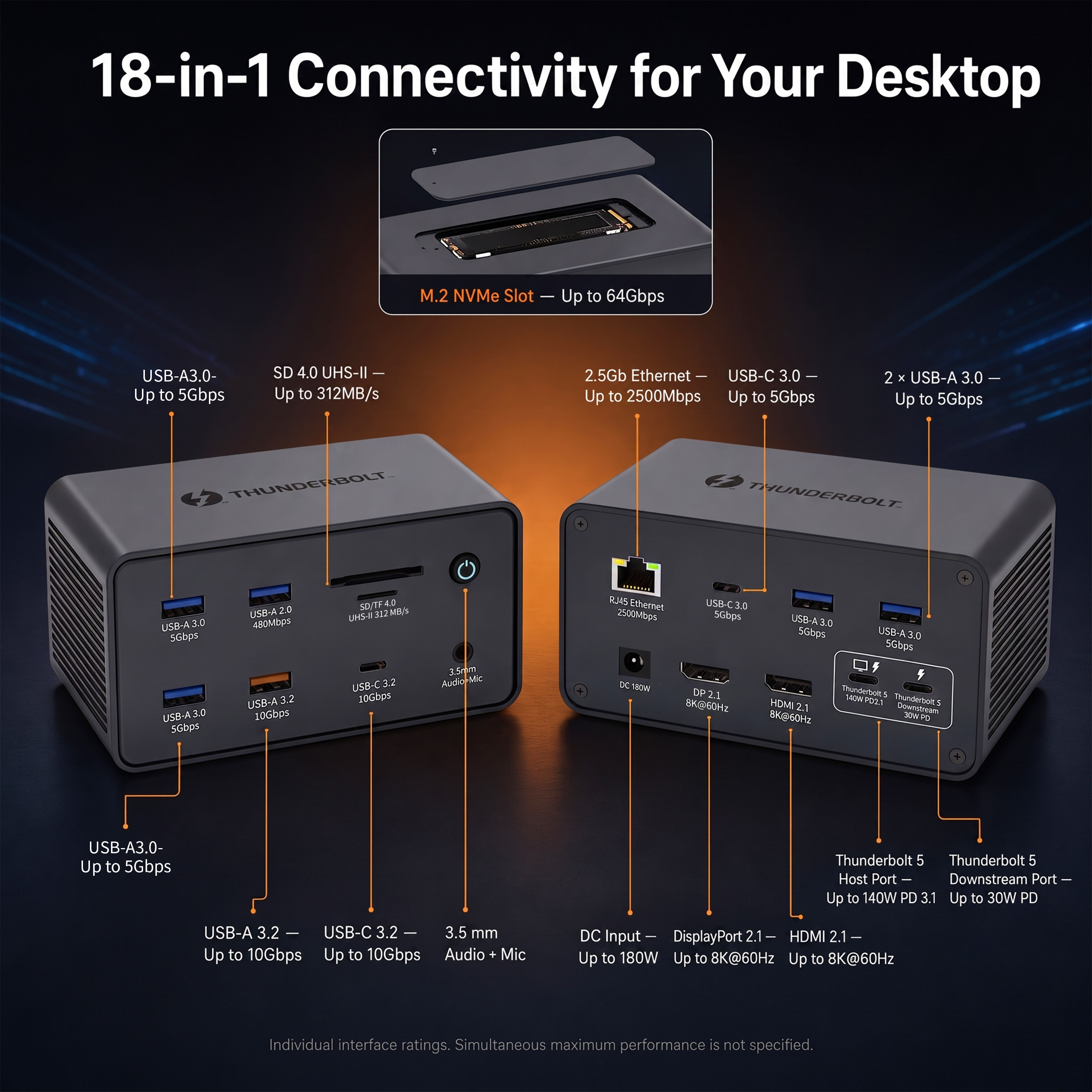
The YUANSHAN 18-in-1 platform combines a Thunderbolt 5 host link with HDMI 2.1, DisplayPort 2.1, downstream Thunderbolt 5, 2.5GbE, multiple USB ports, media readers and an integrated M.2 NVMe slot. In this type of architecture, the benefit is aggregate headroom: several demanding tasks can run together with less link contention than on a 40Gbps generation.
Theoretical Transfer Math
What 80Gbps Means in Idealized File-Transfer Terms
Raw link bandwidth can be converted into an idealized upper-bound time, but this is not a benchmark prediction. One byte contains eight bits, so 80Gbps corresponds to 10GB/s before protocol overhead and device limitations. Real transfers are lower.
| Data Size | Idealized Time at 40Gbps | Idealized Time at 80Gbps | Why Real Time Is Longer |
|---|---|---|---|
| 10GB | ~2 seconds | ~1 second | Protocol overhead, SSD speed, cache behavior and filesystem work. |
| 100GB | ~20 seconds | ~10 seconds | Sustained NAND speed and thermals become important. |
| 1TB | ~200 seconds | ~100 seconds | No ordinary single drive should be assumed to sustain the raw interface ceiling. |
These calculations use decimal GB and raw nominal link rates solely to explain scale. They are not product performance claims.
Storage Workflows
External NVMe Is Where Higher PCIe Headroom Becomes Relevant
Intel states that Thunderbolt 5 doubles PCIe data throughput compared with Thunderbolt 4. That matters for external NVMe arrays, fast scratch disks, PCIe expansion and other devices that can use more than conventional 10Gbps USB bandwidth.
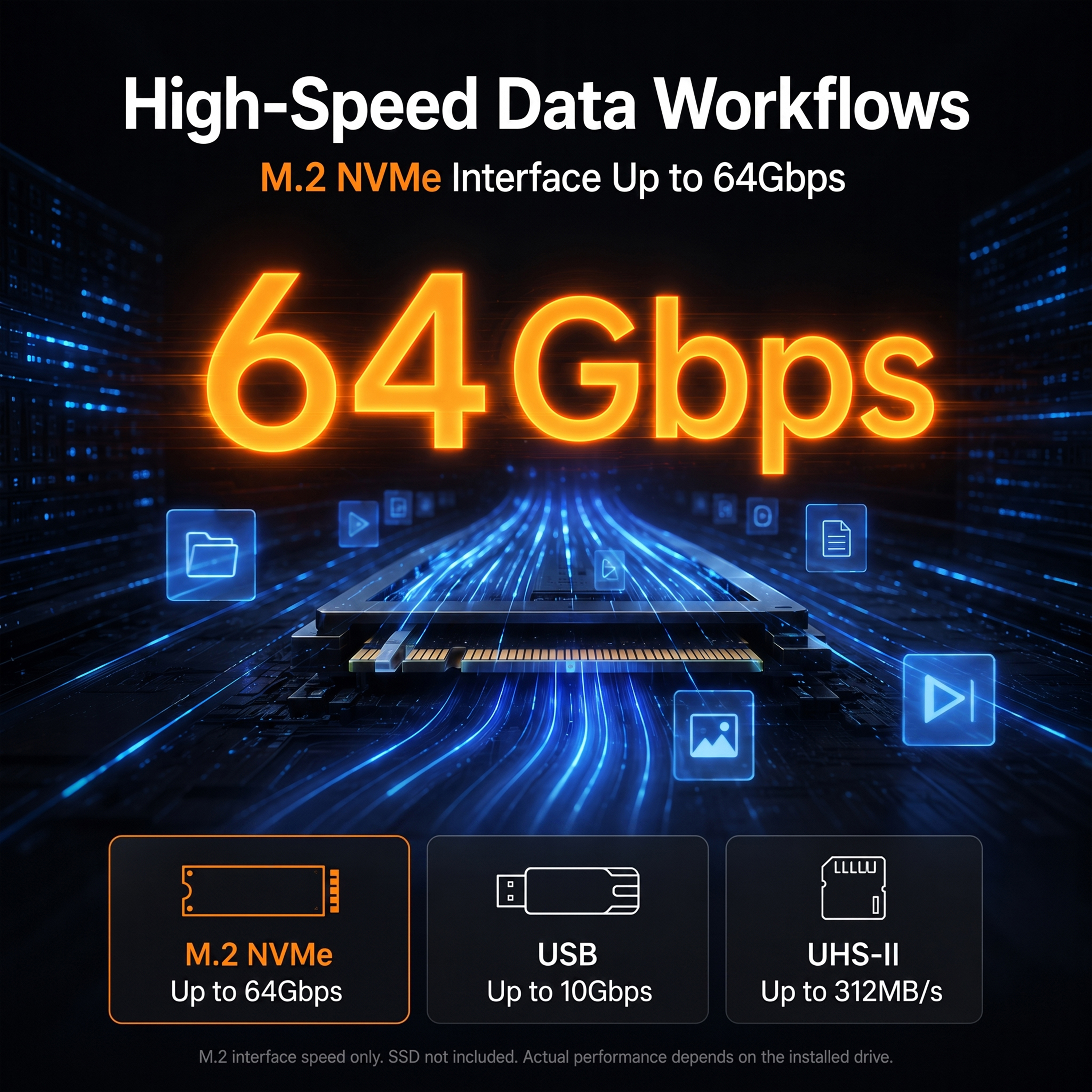
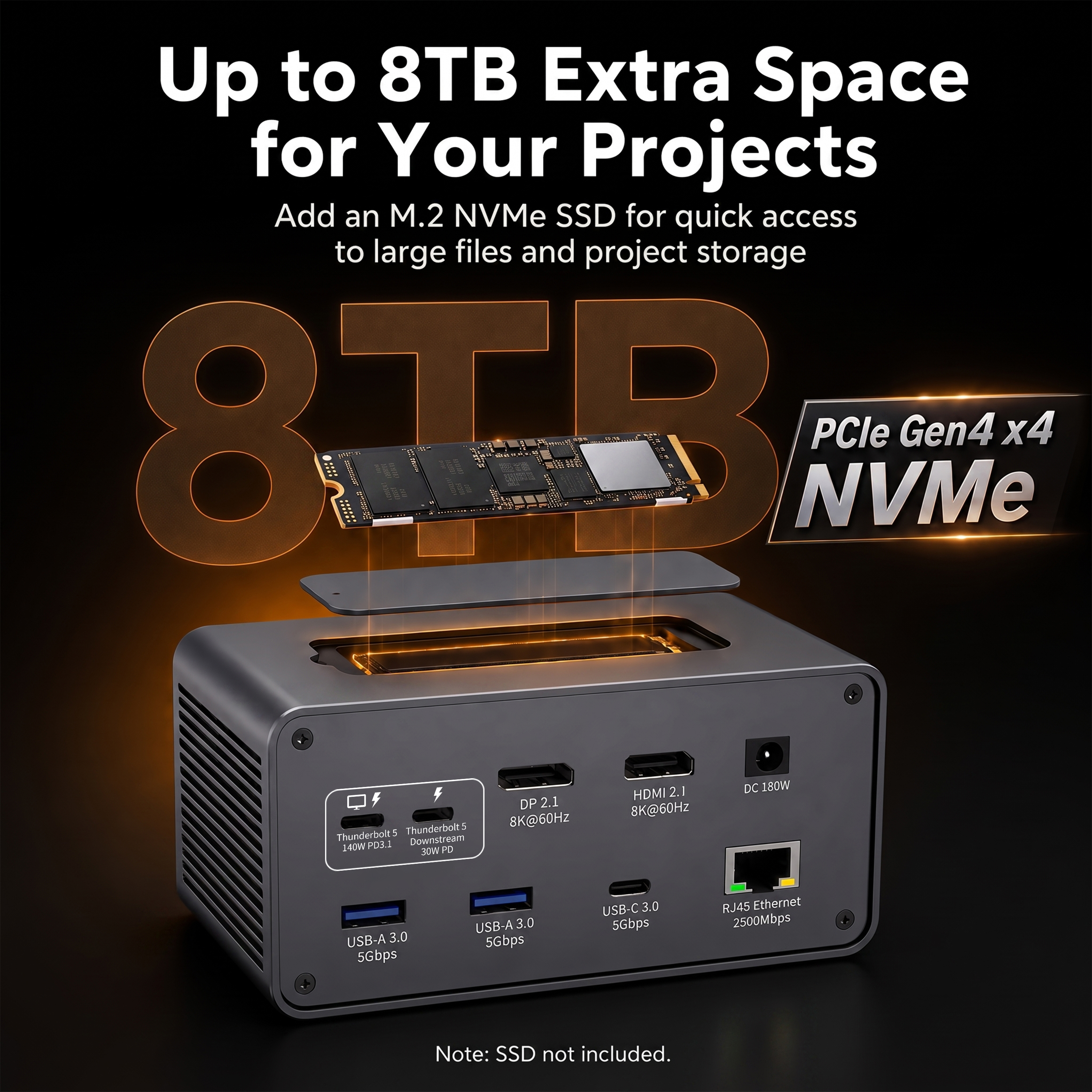
YUANSHAN's 18-in-1 Thunderbolt 5 dock lists an integrated M.2 NVMe slot with a 64Gbps interface and support for 2230, 2242, 2260 and 2280 form factors. This does not mean every SSD will transfer at the interface rating. The installed drive, controller, host, thermal conditions and workload determine actual speed.
Display Traffic
Bandwidth Boost Exists Because Displays Can Consume Enormous Bandwidth
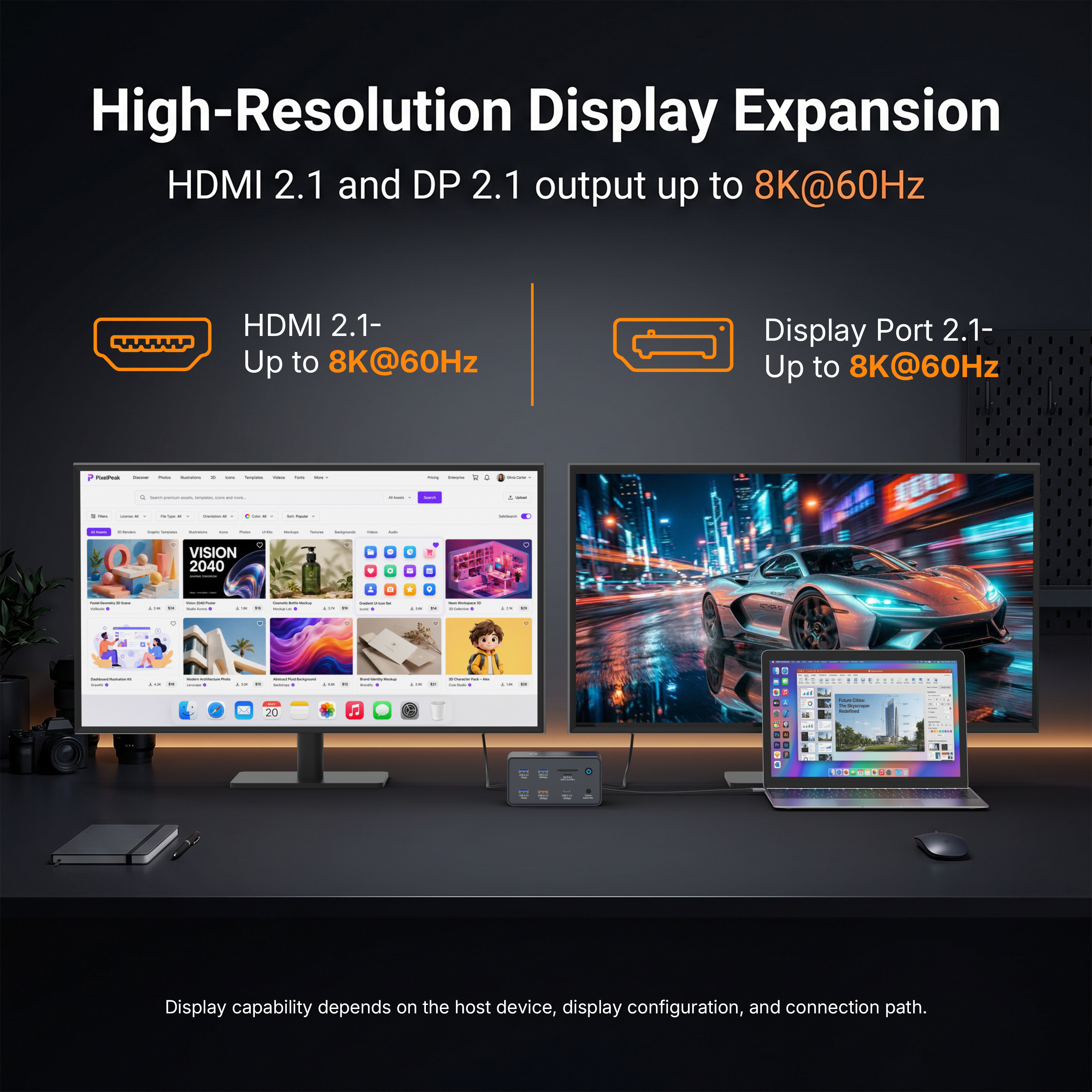
High-resolution and high-refresh display signals can consume a large share of a cable's available bandwidth. Thunderbolt 5's Bandwidth Boost can shift the link into an asymmetric mode with more transmit capacity for display traffic. This allows the architecture to prioritize the direction that needs more bandwidth without representing a permanent 120Gbps two-way data pipe.
For docking applications, that means buyers should evaluate display topology together with storage. A workstation that drives multiple high-resolution monitors and simultaneously edits media from external NVMe is a much better Thunderbolt 5 candidate than a laptop using one 1080p display and a mouse.
Bottleneck Analysis
Six Reasons a Thunderbolt 5 Setup Can Test Below the Headline Rate
Platform implementation
The computer determines available Thunderbolt, PCIe, display and charging capability. Not every USB-C system implements the same feature set.
Rating and length
A cable must support the target mode and power requirement. Reusing a lower-rated cable can constrain the link.
Drive and enclosure limits
SSD controller, NAND, cache, PCIe generation and thermal throttling can dominate observed file-transfer speed.
Shared bandwidth
Multiple high-resolution displays consume upstream resources, so storage tests can change when monitors are active.
Internal architecture
Controllers and port groups can share internal resources. Port labels alone do not reveal every concurrency limit.
OS and workload
Drivers, filesystem, encryption, file size and queue depth affect measured application performance.
Testing Method
How to Benchmark a Thunderbolt 5 Dock for a Real Deployment
- Use the exact production host model
- Use the final cable type and length
- Confirm negotiated Thunderbolt generation
- Record SSD model and firmware
- Record display resolution and refresh rate
- Test with encryption/security software enabled if used in production
- Measure both short burst and sustained transfer
- Repeat after thermal equilibrium
- Check wake-from-sleep and hot-plug stability
- Document variance instead of publishing only a peak result
Product Context
Where YUANSHAN's 18-in-1 Thunderbolt 5 Dock Uses the Bandwidth
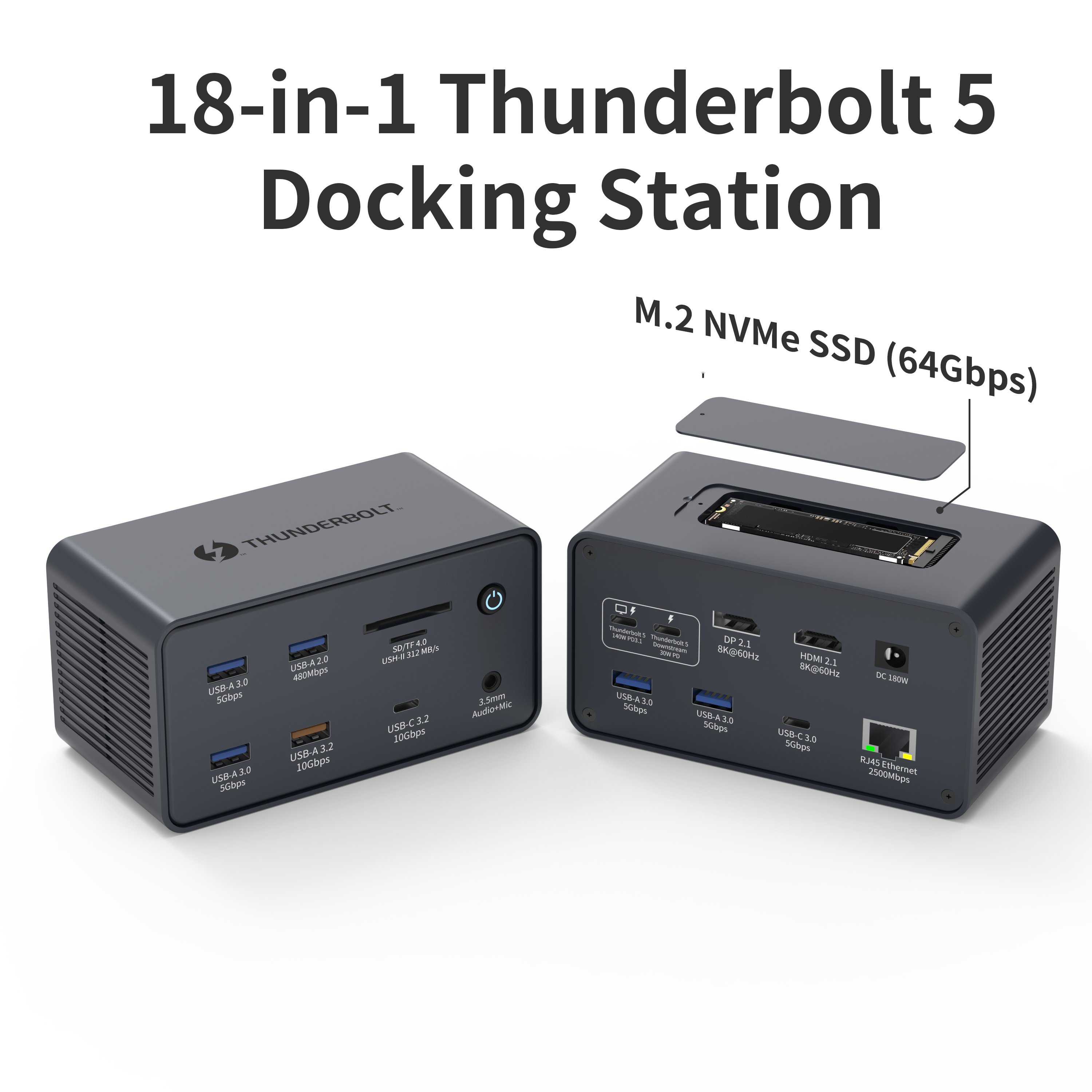
One upstream link serving display, storage, network and USB functions
The product page lists HDMI 2.1, DP 2.1, downstream Thunderbolt 5, 2.5Gb Ethernet, multiple USB ports, SD/TF, audio and an integrated M.2 NVMe slot. This is the type of multi-function dock where aggregate Thunderbolt 5 bandwidth can be more meaningful than a single-port speed headline.
Review full product specification →For private-label or project sourcing, YUANSHAN states that OEM/ODM is acceptable for the model and offers custom manufacturing, branding, packaging, prototyping, testing and production services through its OEM/ODM program.
Common Questions
Frequently Asked Questions
How fast is Thunderbolt 5?
Thunderbolt 5 provides up to 80Gbps of bidirectional bandwidth. Intel also defines Bandwidth Boost, which can allocate up to 120Gbps transmit bandwidth with 40Gbps in the opposite direction for display-intensive traffic.
Does Thunderbolt 5 transfer files at 120Gbps?
120Gbps should not be treated as a general bidirectional file-transfer rate. The standard 80Gbps figure is the bidirectional link capability; 120Gbps is a directional Bandwidth Boost mode primarily intended for display-heavy scenarios.
Why is real SSD speed lower than 80Gbps?
Link bandwidth includes protocol overhead and is shared with other traffic. The SSD, controller, PCIe tunnel, enclosure, thermal state, filesystem and host storage stack also impose limits, so application throughput is lower than the raw link rate.
Is Thunderbolt 5 twice as fast as Thunderbolt 4?
At the base link level, Thunderbolt 5 offers up to 80Gbps bidirectional bandwidth compared with Thunderbolt 4's 40Gbps. Real application gains vary according to whether the workload can use the additional bandwidth.
What workloads benefit most from Thunderbolt 5 speed?
High-speed external NVMe, multiple high-resolution/high-refresh displays, PCIe expansion and combined display-plus-storage workflows are the clearest candidates. Standard keyboards, mice and 5Gbps/10Gbps USB devices do not become faster simply because the upstream port is Thunderbolt 5.
How should a buyer test Thunderbolt 5 dock performance?
Use the intended host, certified/rated cable, production dock, displays and storage devices. Measure individual workloads and then concurrent workloads while monitoring charging, thermals, link stability and reconnect behavior.
Standards reference: Intel Thunderbolt technology overview. Always validate the complete host, cable, dock, display and peripheral combination for a deployment.
Need to Size a Thunderbolt 5 Dock for Your Workflow?
Share your required displays, external storage, Ethernet speed, host charging target and laptop models. YUANSHAN can help map the bandwidth requirement to a suitable docking configuration and OEM/ODM plan.
Send Your Requirements