
Thunderbolt Compatibility Guide
Is Thunderbolt 5 Backwards Compatible?
Yes, Thunderbolt 5 is designed for backward-compatible connectivity, but an older host, cable or device can reduce available speed and features. This guide explains what business buyers should expect when Thunderbolt 5 and Thunderbolt 4 equipment are mixed.
Short Answer
Yes—But Compatibility and Full Performance Are Different Questions
For buyers asking is Thunderbolt 5 backwards compatible, the practical answer is yes: the ecosystem is designed so newer Thunderbolt 5 equipment can interoperate with earlier Thunderbolt and USB4 systems. The important qualification is that the connection negotiates to the capability shared by the host, device and cable. Backward compatibility preserves usability; it does not upgrade an older host or peripheral to Thunderbolt 5 speed.
Procurement rule: treat the slowest required link in the chain as the planning constraint. Host port, cable, dock and downstream device all matter.
Compatibility Matrix
What Happens When Thunderbolt Generations Are Mixed?
The matrix below is a deployment-oriented way to read backward compatibility. It separates “will it connect?” from “will it deliver Thunderbolt 5 capability?”
| Host | Accessory / Dock | Expected Behavior | What to Validate |
|---|---|---|---|
| Thunderbolt 5 | Thunderbolt 5 | Path can use Thunderbolt 5 capability when the cable and implementation also support it. | 80Gbps mode, display topology, charging budget, downstream port allocation. |
| Thunderbolt 5 | Thunderbolt 4 | Backward-compatible connection, but the Thunderbolt 4 accessory remains the limiting interface. | 40Gbps-class accessory behavior, display requirements and device-specific features. |
| Thunderbolt 4 | Thunderbolt 5 | Thunderbolt 5 accessory can operate at the lower host capability; newer accessory features may be constrained. | Host display support, storage throughput, charging and wake functions. |
| USB4 | Thunderbolt 5 | Interoperability can be available, but implementation varies more than a certified Thunderbolt-to-Thunderbolt path. | PCIe tunneling, display support, power delivery, USB4 version and host documentation. |
| USB-C only | Thunderbolt 5 | The connector may fit physically, but Thunderbolt functions are not guaranteed. | Actual USB standard, DisplayPort Alt Mode, charging and supported data rate. |
Real Dock Example
How Backward Compatibility Changes a High-End Dock
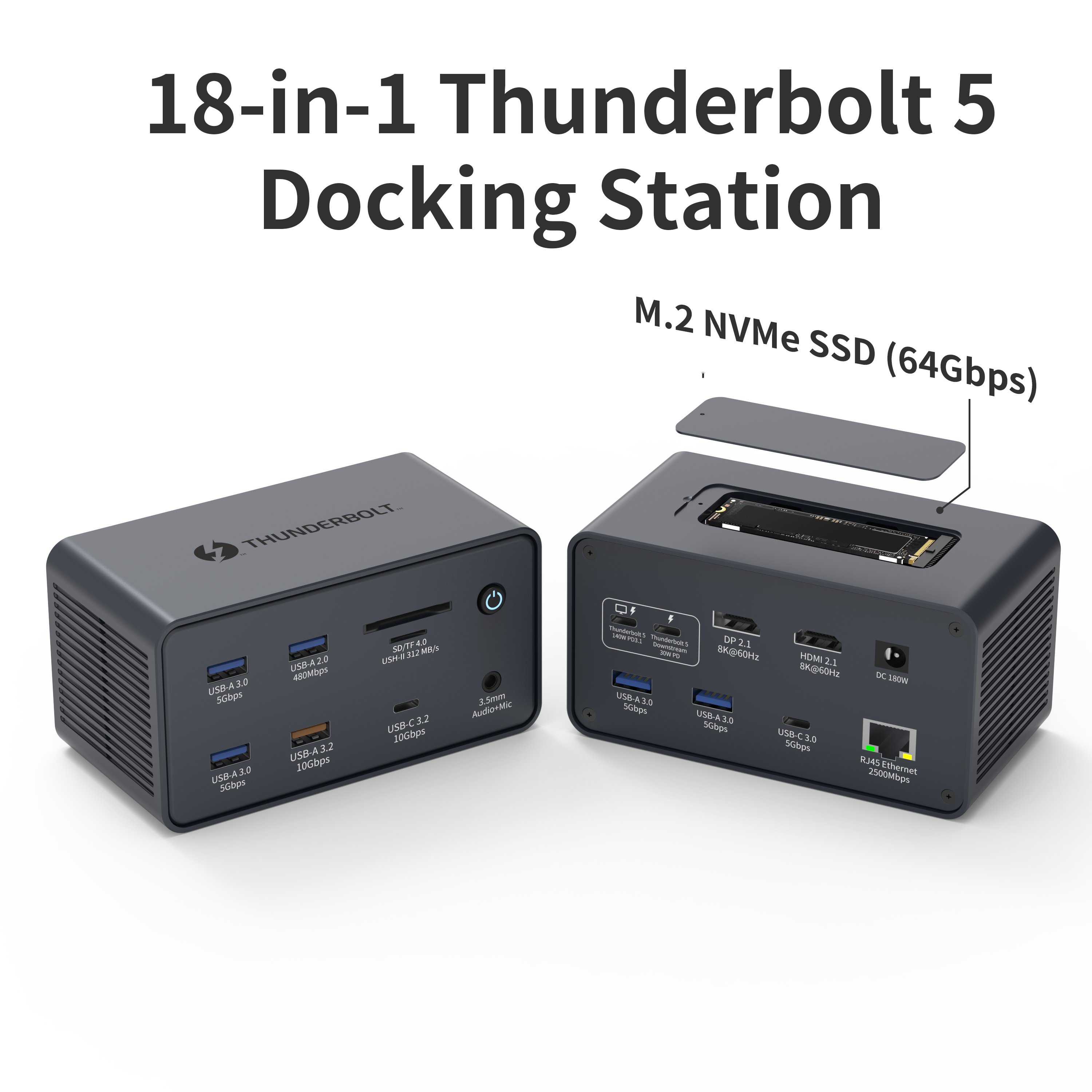
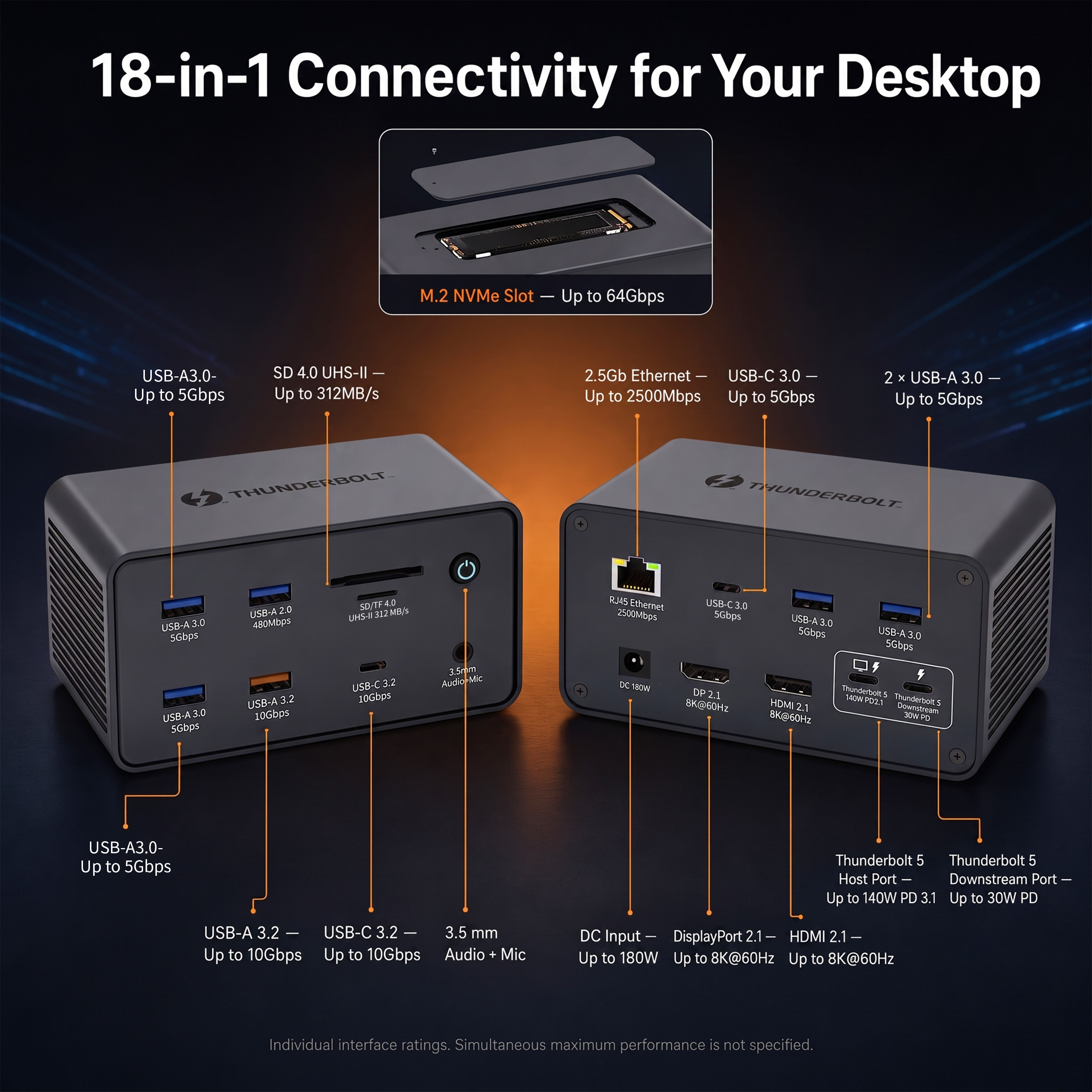
YUANSHAN's 18-in-1 Thunderbolt 5 docking station lists an 80Gbps host connection, 140W PD 3.1 host charging, HDMI 2.1, DisplayPort 2.1, a downstream Thunderbolt 5 port, 2.5GbE, 10Gbps USB connections and an M.2 NVMe slot. The same product page states compatibility with Thunderbolt 5, Thunderbolt 4 and USB4 hosts.
On a Thunderbolt 5 host, the dock can access the newer generation's larger bandwidth budget. On a Thunderbolt 4 host, the dock can still be useful, but the upstream link is constrained by the older host. That matters most when multiple high-bandwidth functions run concurrently—for example high-resolution displays while moving data to external storage and using wired networking.
Cable & Device Chain
Four Links Determine the Result
Compatibility problems are often blamed on the dock even when the limiting component is elsewhere. Use a chain-based validation method.
Core connectivity at the negotiated lower capability
USB peripherals, Ethernet, charging and compatible display paths can remain usable when moving between generations, provided the host supports the required protocols.
Maximum throughput and display headroom
High-speed NVMe performance, multiple high-resolution displays, eGPU/PCIe workloads and total concurrent bandwidth are the areas most likely to scale down on an older host.
Thunderbolt 4 Installed Base
A Thunderbolt 4 Dock Is Still a Rational Choice for Stable 40Gbps Fleets
Backward compatibility does not automatically make Thunderbolt 5 the right procurement choice for every project. If most deployed laptops are Thunderbolt 4 and the workload is built around triple 4K-class output, 100W host charging and standard high-speed USB peripherals, a dedicated Thunderbolt 4 dock can be easier to standardize.
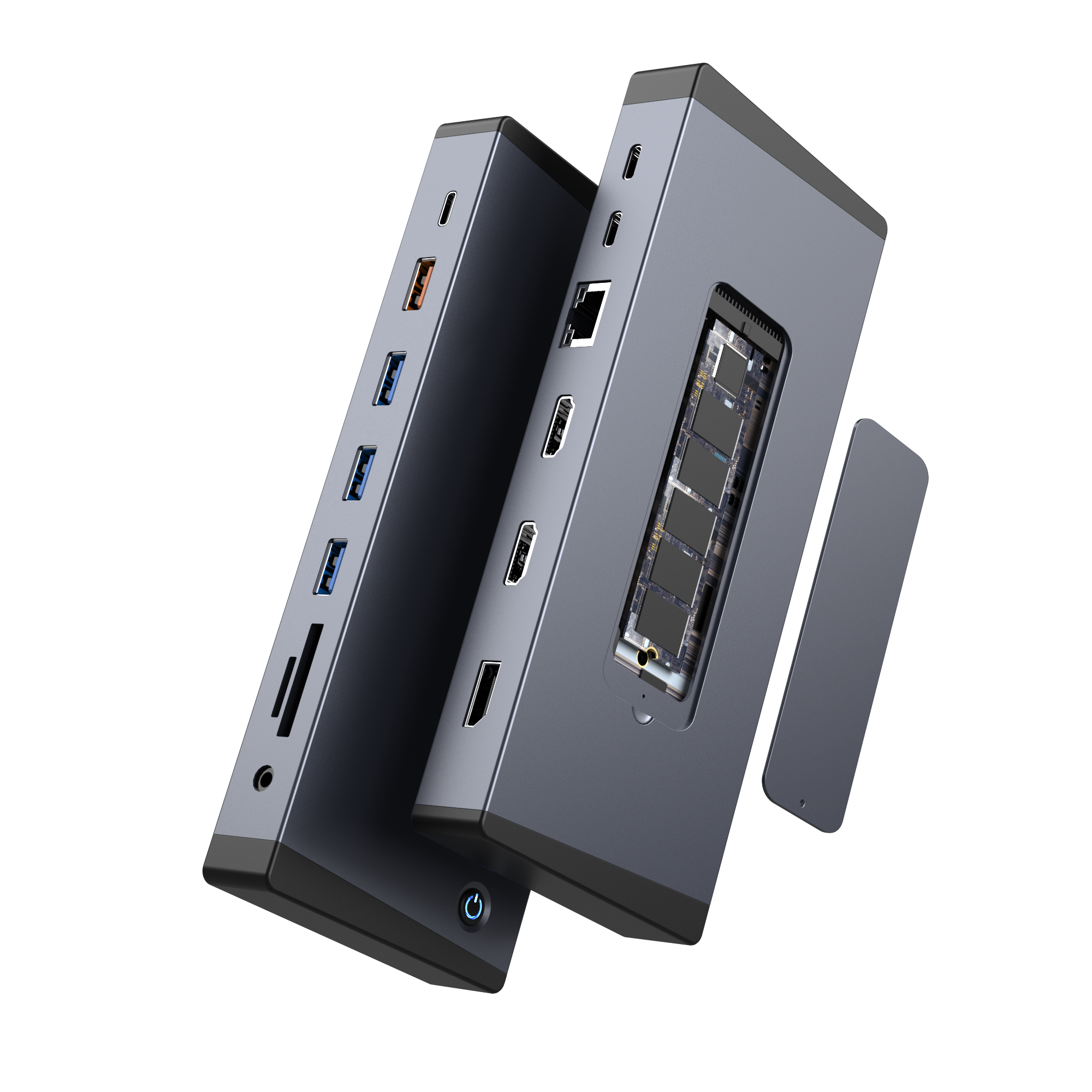
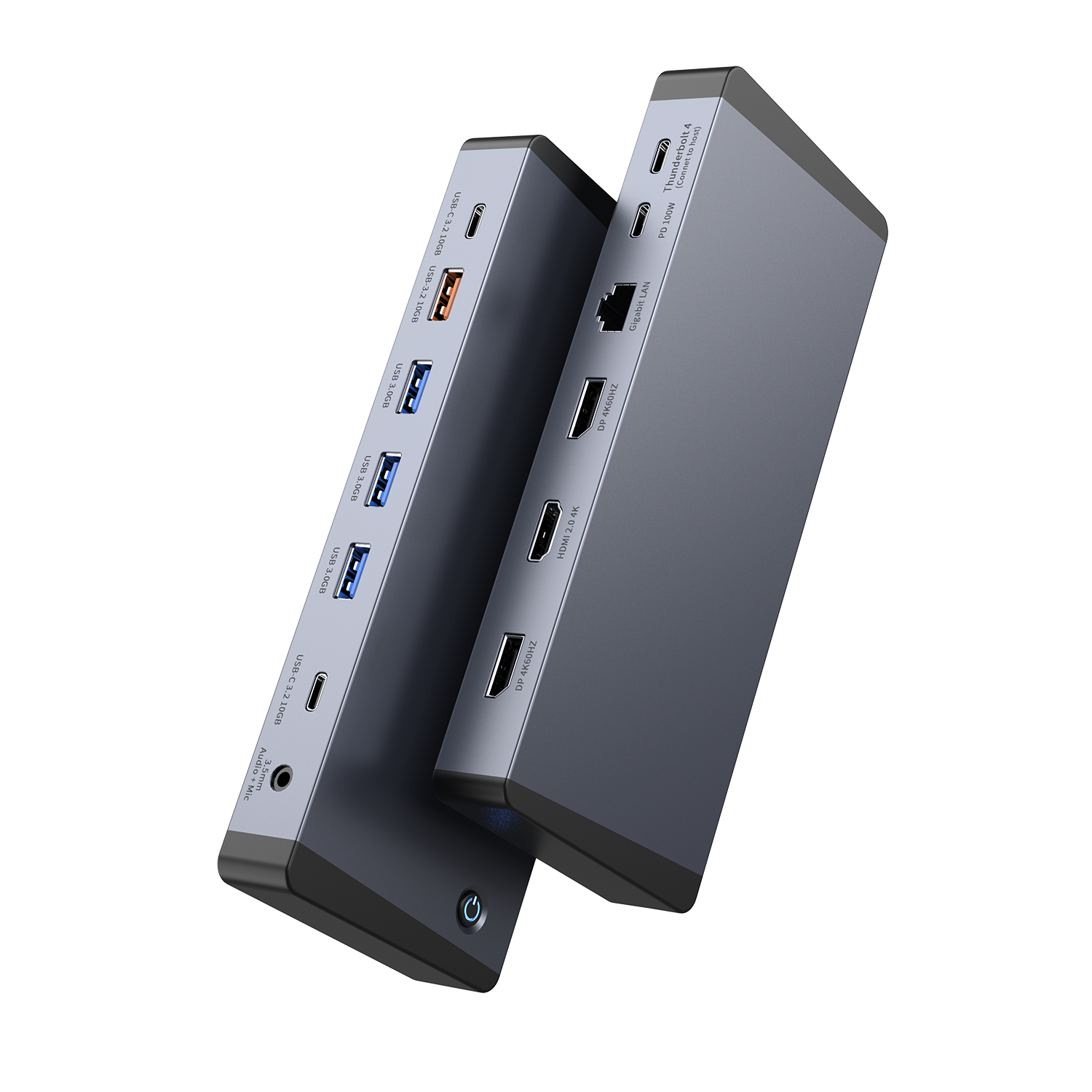
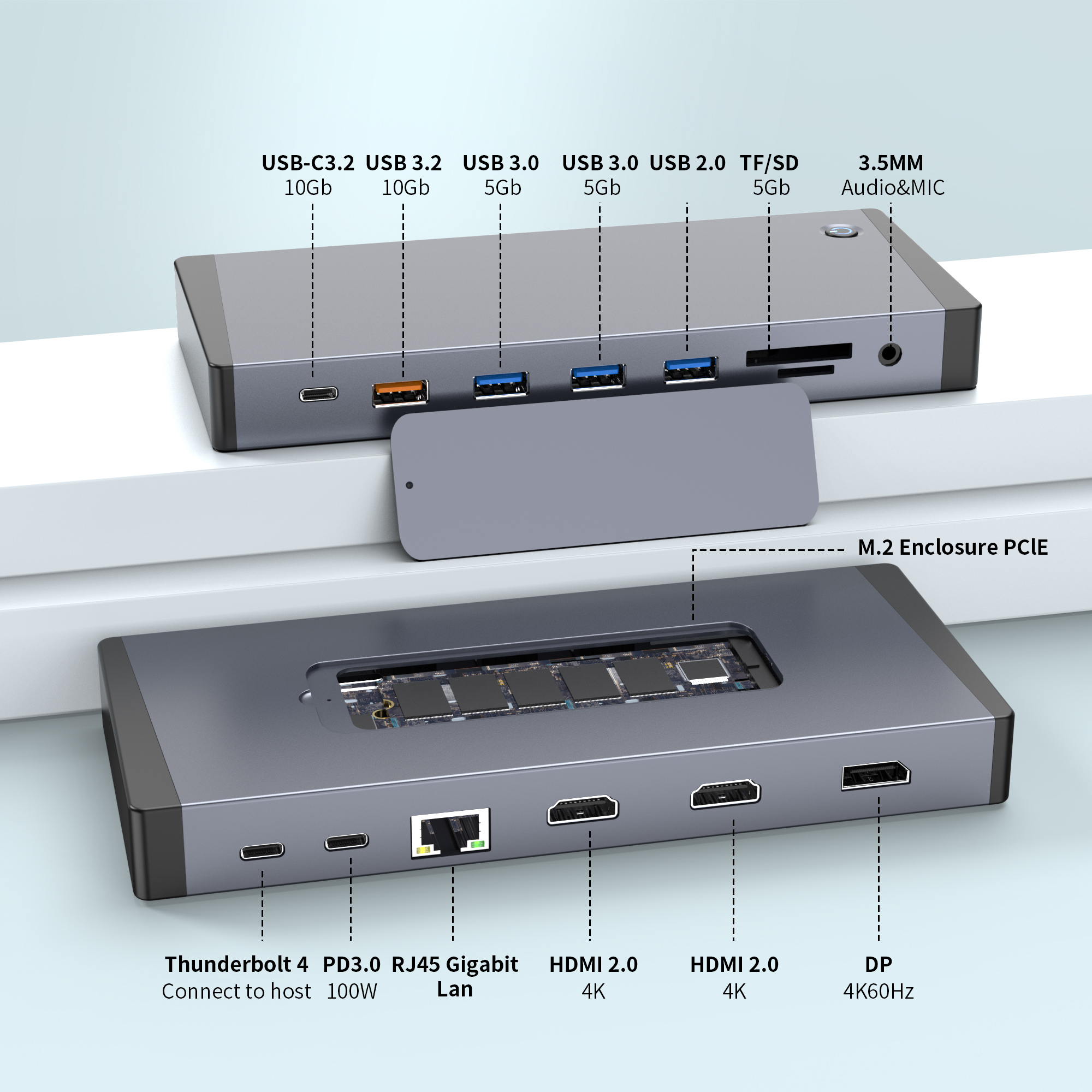
YUANSHAN's 15-in-1 Thunderbolt 4 dock includes triple 4K display outputs, 100W PD and an integrated M.2 NVMe enclosure. The 14-in-1 Thunderbolt 4 model offers triple 4K@60Hz outputs, 100W PD, 10Gbps USB and Gigabit Ethernet. These models provide a lower-generation reference point when deciding whether a fleet actually needs Thunderbolt 5 bandwidth.
Migration Planning
How to Deploy Thunderbolt 5 Into an Existing Thunderbolt 4 Fleet
Map host generations
List laptop models, port standards, OS versions, display limits and charging requirements. Do not assume every USB-C port is Thunderbolt.
Separate standard and power users
Keep routine productivity users on stable Thunderbolt 4 where adequate, and assign Thunderbolt 5 where high-bandwidth displays or storage justify it.
Test the exact cable path
Use production-intent cables and real monitors, SSDs and adapters during sampling. Bandwidth and power claims should be confirmed as a complete system.
Document negotiated behavior
Create an approved host/dock matrix so IT teams and channel partners know which functions are available on each generation.
- Thunderbolt 5 host with Thunderbolt 5 dock
- Thunderbolt 4 host with Thunderbolt 5 dock
- USB4 host where required
- Production cable at intended length
- Maximum monitor count and refresh rate
- Charging under sustained workload
- External NVMe transfer workload
- Sleep/wake and hot-plug behavior
B2B Sourcing
Choose the Generation by Fleet Requirements, Not by the Newest Label
18-in-1 Thunderbolt 5 Platform
For performance-oriented deployments requiring larger bandwidth headroom, 2.5GbE, advanced display interfaces and integrated NVMe expansion.
View product details →15-in-1 Thunderbolt 4 Platform
For established Thunderbolt 4 fleets that need a broad port mix, triple-display support and an integrated M.2 storage bay.
View product details →YUANSHAN lists OEM/ODM as acceptable on the referenced docking products and describes private labeling, custom packaging, prototyping, testing and production services on its OEM/ODM page.
Common Questions
Frequently Asked Questions
Is Thunderbolt 5 backwards compatible with Thunderbolt 4?
Yes. Thunderbolt 5 is designed to work with earlier Thunderbolt generations, and Thunderbolt 5 accessories can operate on Thunderbolt 4 hosts at the lower host capability. Full Thunderbolt 5 bandwidth requires a Thunderbolt 5 host, device path and suitable cable.
Can a Thunderbolt 5 dock work on a USB4 laptop?
A Thunderbolt 5 accessory can work with USB4-enabled systems when the required functions are supported, but available bandwidth, display tunneling, charging and wake features depend on the host implementation. USB-C connector shape alone does not guarantee Thunderbolt behavior.
Will a Thunderbolt 4 device become 80Gbps when connected to Thunderbolt 5?
No. A legacy device remains limited by its own interface capability. A Thunderbolt 4 device is not converted into an 80Gbps device simply because the host port is Thunderbolt 5.
Can I reuse a Thunderbolt 4 cable with Thunderbolt 5 equipment?
It may work for backward-compatible operation, but the cable can become the limiting link. For a deployment that requires full Thunderbolt 5 performance, use a cable rated and validated for the intended Thunderbolt 5 mode and length.
Does backward compatibility guarantee the same display layout on every computer?
No. Display count, resolution and refresh rate are also constrained by the host GPU, operating system, display tunneling support and the dock's internal design. Validate the exact host model and monitor topology before volume deployment.
Which YUANSHAN dock is suitable for a mixed Thunderbolt 4 and Thunderbolt 5 fleet?
The 18-in-1 Thunderbolt 5 model is listed as compatible with Thunderbolt 5, Thunderbolt 4 and USB4 hosts, while YUANSHAN also offers Thunderbolt 4 docking options. The best choice depends on required performance, port mix, charging and installed host base.
Standards reference: Intel Thunderbolt technology overview. Always validate the complete host, cable, dock, display and peripheral combination for a deployment.
Need a Mixed-Fleet Compatibility Check?
Send YUANSHAN your laptop models, required displays, storage devices, charging target and deployment volume. The team can help map a suitable Thunderbolt 4 or Thunderbolt 5 docking configuration.
Send Your Requirements