Managing IT procurement brings significant challenges today. You outfit a modern, hybrid workforce. Suddenly, you face a hardware nightmare. Incompatible dongles pile up on office desks. Laptops struggle from insufficient power delivery. Endless driver conflicts constantly flood the IT helpdesk. We clearly need a more robust solution. Consider the modern Thunderbolt docking station. We must view it not as a simple premium accessory. Instead, it functions as critical enterprise infrastructure. Standardizing these devices reduces IT support tickets dramatically. They seamlessly unify workspace deployments across diverse hardware fleets. This article provides a comprehensive, vendor-neutral checklist. You will learn how to evaluate core hardware specifications. You will also discover strategies to assess long-term supplier reliability. Using this guide, you can confidently commit to your next bulk purchase order. We focus on objective, verifiable data to streamline your deployment strategy.
Key Takeaways
- Standardizing on Thunderbolt 4 (and preparing for Thunderbolt 5) guarantees baseline performance metrics (40Gbps+ bandwidth, dual 4K display support) across mixed OS environments.
- Matching technical specifications to specific user workflows (e.g., standard office vs. heavy rendering) prevents overspending on unnecessary features.
- Evaluating a supplier goes beyond unit cost; firmware management, Intel certification, and bulk RMA processes define the true enterprise TCO.
- Pilot testing in a staging environment is a mandatory step before enterprise-wide deployment to identify hidden firmware or security conflicts.
The Business Case: Why Enterprises Standardize on Thunderbolt
Mixed-fleet environments create massive inefficiencies for procurement teams. You manage Windows PCs, macOS devices, and various laptop tiers. Historically, IT departments purchase fragmented dock models. This fragmentation creates severe compatibility gaps. It also drives up helpdesk overhead exponentially. Support teams waste hours troubleshooting basic display connections.
Thunderbolt architecture solves these systemic hardware problems directly. It requires strict Intel certification testing. Generic USB-C hubs simply do not face these stringent hurdles. This rigorous certification guarantees universal baseline capabilities. It ensures proper PCIe data routing across connected devices. You get highly reliable wake-from-sleep functionality. It also mandates Direct Memory Access (DMA) protection natively.
A successful bulk deployment transforms the modern office. Hardware replacement cycles become much longer. Cable clutter disappears entirely from hot-desking stations. Employees enjoy seamless peripheral integration every single day. They plug in one cable and start working immediately. This reliability justifies the initial capital expenditure.
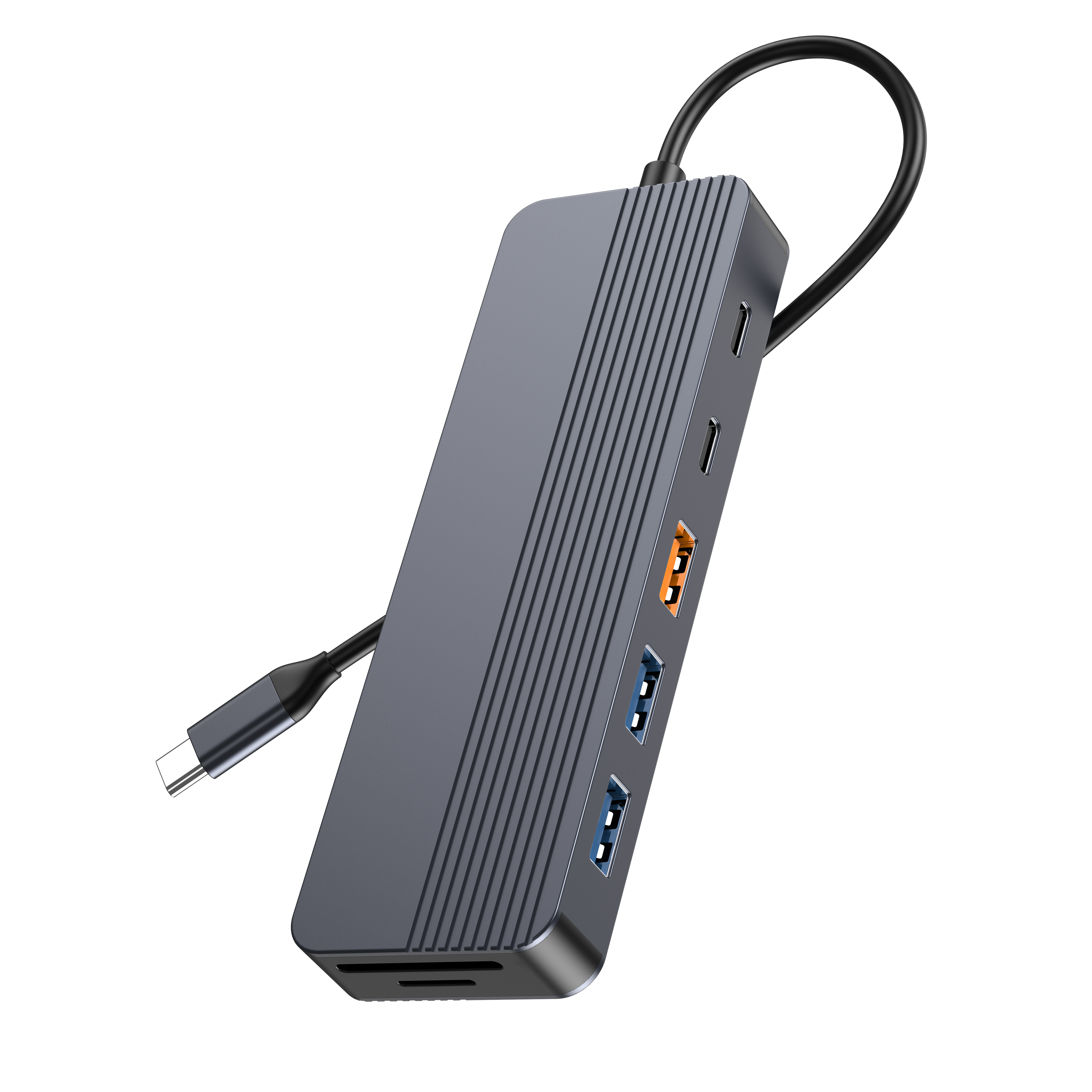
Core Thunderbolt Docking Station Specifications to Evaluate
Evaluating the Power Delivery (PD) architecture remains critical. You must check the exact PD wattage carefully. Not all docks charge enterprise laptops efficiently under heavy load. Complex workflows drain laptop batteries very quickly. Standard laptop fleets usually need 90W to 100W of sustained power. Mobile workstations may require separate power adapters entirely.
Next, analyze the bandwidth allocation and display protocol logic. Thunderbolt technology offers 40Gbps of total bandwidth. You must understand how the internal chipset divides this capacity. High-quality models deliver reliable dual 4K resolution at 60Hz. They can sometimes drive a single 8K display. They accomplish this without introducing annoying peripheral input lag. Reviewing comprehensive Thunderbolt docking station specifications is non-negotiable. You must prevent bottlenecking high-refresh-rate monitors. You also want to avoid throttling external NVMe storage drives.
Finally, evaluate the downstream port configuration thoroughly. Look closely at downstream daisy-chaining capabilities. Check the integrated Ethernet speeds. Decide if you need standard 1GbE or faster 2.5GbE connections. Assess the availability of legacy USB-A ports. Your existing office peripherals dictate these exact technical requirements.
Specification Evaluation Chart
| Feature Category | Standard Fleet Requirement | High-Performance Requirement |
| Power Delivery (PD) | 60W – 90W | 96W – 100W+ |
| Display Output | Dual 1080p or Dual 4K @ 30Hz | Dual 4K @ 60Hz or Single 8K |
| Network Speed | 1 Gigabit Ethernet (1GbE) | 2.5 Gigabit Ethernet (2.5GbE) |
| Downstream Bandwidth | Standard USB 3.2 data rates | Full PCIe routing for NVMe/eGPU |
Matching Dock Capabilities to Department Workloads
Different enterprise departments require distinctly different hardware capabilities. Procurement must align device specifications to user workflows. This strategy prevents massive overspending on unnecessary technical features.
- Knowledge Workers: These employees form the bulk of your staff. They need absolute reliability above all else. Focus on stable dual-monitor output for them. Ensure they maintain consistent wired network connectivity. Lower-tier, standard docking models work perfectly in this scenario.
- Creative & Engineering Teams: These power users demand much more bandwidth. They require a professional desktops Thunderbolt docking station. Such devices feature exceptionally high PCIe bandwidth. This bandwidth supports external GPUs flawlessly. It enables rapid data ingest from SD or CFexpress cards. These heavy users also need to daisy-chain multiple high-draw devices.
- Security-Restricted Environments: Government and financial sectors pose unique challenges. Think carefully about the physical security of the device. Require built-in Kensington lock slots to prevent theft. Discuss IT-level port disablement protocols. You must prevent unauthorized data exfiltration through open USB ports.
When to Consider a Custom Thunderbolt Docking Station
Off-the-shelf solutions occasionally fail to meet specialized enterprise needs. You might discover unique OEM or ODM advantages. Sometimes, strict physical security protocols demand customized hardware modifications. You may need specific legacy industrial ports stripped out entirely. Alternatively, your specialized enterprise desks might require proprietary mounting brackets.
A custom Thunderbolt docking station solves these exact infrastructure problems. It offers distinct corporate branding and asset management benefits. Custom builds provide significant advantages for large organizations.
- MAC Address Pass-Through: You can integrate built-in pass-through configurations natively. This allows seamless network authentication for individual laptops.
- Custom Firmware Integration: You might develop tailored firmware for specific IT management suites. This guarantees compatibility across proprietary software deployments.
- Bespoke Casing: Custom exterior designs can easily deter hardware theft. Unique branding marks the hardware clearly as corporate property.
However, buyers must consider manufacturing volume thresholds. Hardware customization always requires basic economic viability. Suppliers typically enforce Minimum Order Quantities (MOQs). Expect an MOQ of at least 500 units for meaningful customizations. Transparent assumptions about these thresholds prevent wasted procurement cycles.
Vetting Your Thunderbolt Docking Station Supplier
Sourcing reliable hardware requires rigorous vendor vetting. Always verify the manufacturer's Intel certification status proactively. This applies to Thunderbolt 4 and upcoming Thunderbolt 5 devices. Uncertified white-label docks introduce severe connectivity risks. They can even pose dangerous electrical fire safety hazards. Trust only verified manufacturing partners.
A credible Thunderbolt docking station supplier must offer ongoing lifecycle support. They need to provide transparent enterprise firmware update paths. Ask them directly about support for Microsoft Endpoint Configuration Manager. Seamless centralized updates keep your enterprise network secure. Lack of firmware support shortens the hardware lifespan dramatically.
Evaluate their warranty terms and global fulfillment capabilities. Examine the Service Level Agreement (SLA) for bulk replacements. Demand advance replacements for unexpectedly failed units. This minimizes employee downtime during critical business hours. Finally, ensure they maintain strict supply chain stability. Phased corporate rollouts require consistent stock availability over several months.
Conclusion
Procuring reliable workspace infrastructure requires a systematic evaluation framework. By focusing on verifiable specifications, you eliminate costly guesswork. You must align hardware capabilities directly with department workflows. Rigorous supplier vetting further protects your corporate investment.
- Audit your existing laptop fleet to define exact power and display needs.
- Define the necessary port array based on current office peripherals.
- Mandate strict Intel certification for all procured devices.
- Evaluate vendor SLAs for bulk replacement and lifecycle firmware support.
We strongly advise starting with a controlled pilot phase. Order 5 to 10 units from your shortlisted suppliers. Test them against the enterprise's most problematic edge cases. Verify waking dual monitors from sleep on older laptops. Identify any hidden security conflicts. Complete this thorough staging test before finalizing any bulk purchase.
FAQ
Q: Does a Thunderbolt 4 dock work with non-Thunderbolt USB-C laptops?
A: Yes, it generally maintains backward compatibility. The dock falls back to standard USB-C Alternate Mode capabilities. However, you must manage user expectations regarding performance limits. Display resolutions and data transfer speeds will drop significantly compared to native Thunderbolt connections.
Q: How does a Thunderbolt dock impact corporate network security?
A: Historically, PCIe-based docks introduced Direct Memory Access (DMA) vulnerabilities. Attackers could bypass OS security to read system memory. Modern Thunderbolt protocols mitigate these risks effectively. They require strict OS-level authorization and utilize VT-d DMA protection to isolate connected peripherals safely.
Q: Should we wait for Thunderbolt 5 for our next bulk purchase?
A: It depends on your deployment timeline. Thunderbolt 5 offers 80-120Gbps bandwidth. It is ideal for future-proofing heavy data workflows by 2025 or 2026. However, Thunderbolt 4 remains the most cost-effective standard today. It provides excellent stability for general enterprise deployment immediately.



