Scaling unverified hardware across an enterprise carries massive operational risks. IT departments dread sudden surges in support tickets caused by failing peripherals. Brand damage follows closely behind when employee productivity halts. You face high stakes when deploying thousands of workstations. Many procurement teams fall into a very common trap. They rely heavily on manufacturer spec sheets instead of executing real-world stress tests. Paper specifications rarely reflect how a Multi Monitor Docking Station performs under constant, heavy data loads. We need a structured engineering approach to validate these devices properly. We will explore a rigorous procurement framework below. You will learn how to test thermal limits, bandwidth allocation, and system stability. Readers will discover practical steps to secure fleet-wide deployment success before approving any mass production contract.
Key Takeaways
- Validating a docking station requires moving beyond basic connectivity to test thermal thresholds, bandwidth allocation, and enterprise networking protocols.
- A rigorous dock compatibility test must account for OS-specific limitations (e.g., macOS single-stream transport vs. Windows multi-stream transport).
- Transitioning from "golden sample" to mass deployment requires strict mass production inspection standards and firmware version control to ensure consistency.
The Gap Between Spec Sheets and Field Reality
Manufacturers design spec sheets in highly controlled laboratory environments. These controlled tests rarely simulate the chaotic demands of a modern office. Consumer reviews offer little help for enterprise buyers. A standard consumer might plug in one monitor and a wireless mouse. They rarely push the hardware to its breaking point. Enterprise environments operate differently. Employees run constant video conferences while transferring massive datasets. They simultaneously charge power-hungry laptops. Standard consumer benchmarks fail to predict how hardware behaves under such heavy, sustained loads. When you plan deployments exceeding a thousand units, you cannot afford guesswork.
Hidden variables routinely compromise enterprise deployments. You must identify these undocumented failure points early. Chipset thermal throttling represents a major risk. Docks generate significant heat when processing video and power delivery simultaneously. Poorly designed units overheat quickly. They respond by dropping peripheral connections or reducing video refresh rates to cool down. Shared bandwidth drops also plague cheap hardware. A dock might advertise high speeds on paper. However, plugging in a hard drive might suddenly cut your video output resolution in half. Operating system updates introduce further instability. A dock working perfectly today might crash after tomorrow's routine system patch.
You must establish strict success criteria for procurement. A simple "pass" requires more than just turning on. We recommend defining success through a grueling endurance standard. Your engineering team should require zero dropped connections over 72 hours of continuous maximum-load operation. Every port must remain populated and active. The chassis temperature must stay below dangerous thresholds. You only move forward when the sample survives this uncompromising gauntlet.
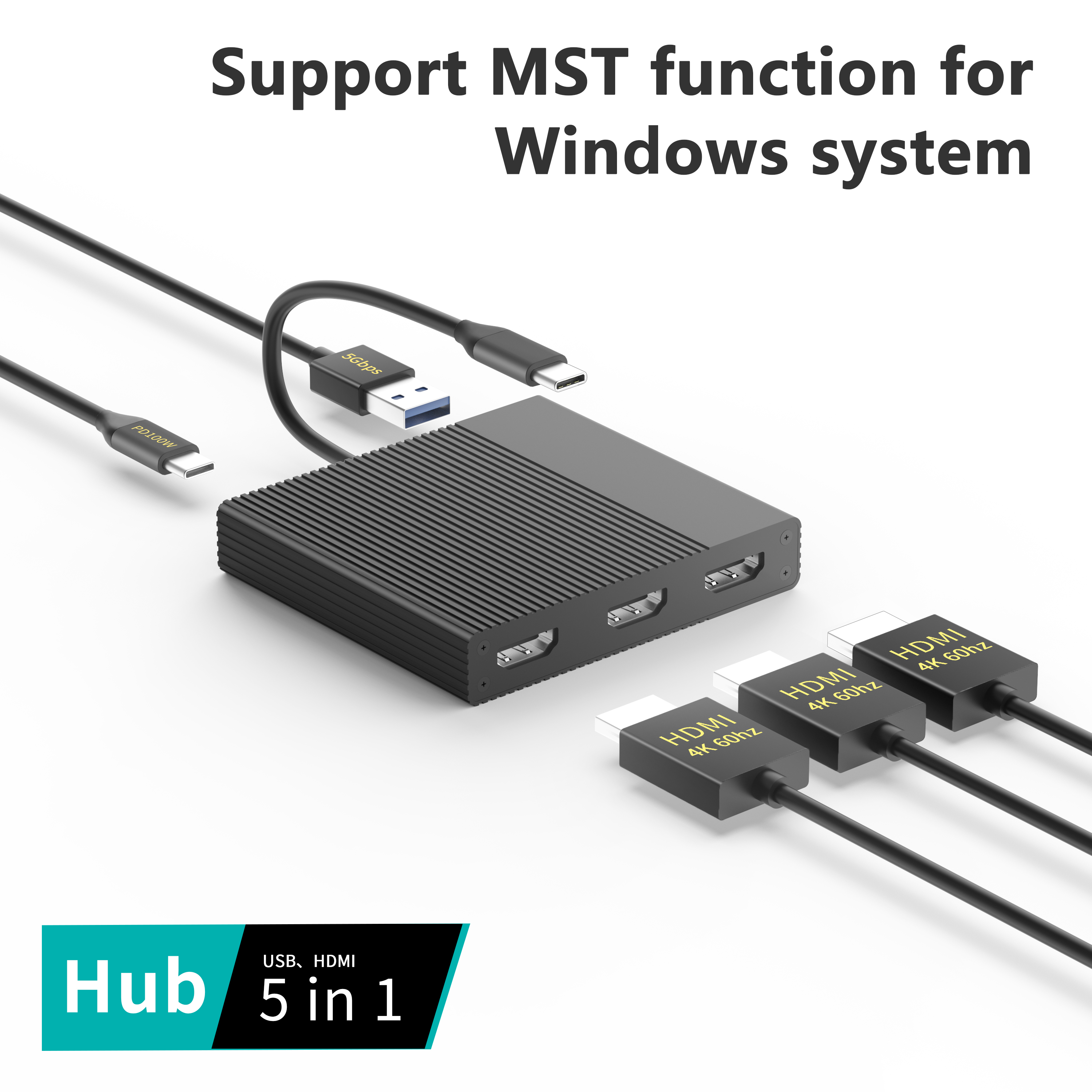
Building Your Multi Monitor Dock Testing Protocol
Structuring the validation phase requires discipline. You need a testing matrix covering every technical benchmark. Proper multi monitor dock testing isolates individual components before stressing the entire system.
Video Output & Bandwidth Saturation
You must verify the true output limits of your evaluation samples. Do not accept marketing claims blindly. Confirm a triple 4K docking station genuinely drives 4K resolution at 60Hz across all three displays simultaneously. Many inferior units downscale the third monitor to 30Hz. Some even drop output to 1080p when you activate the USB or Ethernet ports. Connect three high-resolution panels. Stream high-bitrate video on all screens while running a network speed test. Watch for any visual tearing, flickering, or resolution degradation.
Assessing the underlying video architecture helps predict long-term performance. You will encounter two primary technologies. DisplayPort Alt Mode utilizes the native GPU power of the host laptop. DisplayLink technology relies on software drivers and a dedicated internal chip to compress and render video. Each architecture handles resource-heavy applications differently. You need to understand these differences to match the hardware to your employee workflows.
Display Technology Architecture Comparison
| Feature | DisplayPort Alt Mode | DisplayLink Technology |
| Resource Usage | Low CPU usage. Relies on native GPU. | Higher CPU usage. Requires software drivers. |
| Gaming / 3D Rendering | Excellent. High performance. | Poor. Noticeable lag during heavy 3D tasks. |
| OS Compatibility | Native plug-and-play. Hardware dependent. | Broad compatibility. Bypasses hardware limits. |
| Apple M-Series Limit | Restricted to native external display limits. | Can drive multiple screens beyond Apple limits. |
Power Delivery (PD) & Thermal Management
Power delivery mechanisms demand intense scrutiny. Execute prolonged load testing in a controlled environment. Run the maximum wattage Power Delivery setting continuously. If a unit claims 100W PD support, force it to deliver 100W. Concurrently saturate all USB inputs and display outputs. This creates the absolute worst-case scenario for internal thermal management.
Monitor the unit carefully for thermal throttling. Use infrared thermal imaging to map heat distribution across the chassis. Excessive heat degrades internal capacitors over time. Thermal throttling leads to intermittent display flickering. It causes sudden peripheral disconnection. A unit failing this thermal test will generate endless IT complaints during the summer months. Demand robust internal heatsinks and high-quality thermal paste from your suppliers.
Enterprise IT Dock Compatibility Test Criteria
Corporate environments rarely use identical laptops. A robust dock compatibility test ensures the hardware functions seamlessly across varied ecosystems.
Cross-Platform & OS Validation
Test multi-display behaviors across different operating systems. Windows, macOS, and Linux manage external displays using entirely different protocols. You must validate the exact behavior on your specific corporate image. Apple devices present unique challenges. Base M-series chips limit native external display support. You must test whether the dock correctly leverages DisplayLink workarounds if your fleet uses MacBooks.
Understand the critical difference between Multi-Stream Transport (MST) and Single-Stream Transport (SST). Windows environments utilize MST to daisy-chain monitors and extend desktops across multiple screens. Apple's macOS relies on SST. If you plug an MST-only hub into a MacBook, the external monitors will merely mirror each other. Validating these OS-specific limitations prevents disastrous deployment surprises.
Network & Security Protocols
System administrators require specific network capabilities to manage fleets efficiently. Basic internet connectivity does not equal enterprise readiness. You must verify three non-negotiable networking necessities:
- MAC Address Pass-Through: The dock must pass the laptop's unique MAC address to the network. This ensures corporate firewalls identify the authorized device, not the generic docking station.
- PXE Boot (Preboot Execution Environment): IT teams rely on PXE to image laptops over the network during off-hours. The dock must maintain network connection before the operating system loads.
- Wake-on-LAN (WoL): Administrators need the ability to wake sleeping laptops remotely for urgent security patching. The hardware must support specific magic packets.
Test these specific functions across different laptop manufacturers. Try Dell, HP, Lenovo, and Apple devices. You want to ensure universal compatibility. Avoid units requiring proprietary, locked-down drivers. Universal plug-and-play functionality drastically reduces deployment friction.
Establishing Mass Production Inspection Standards
Approving a golden sample is only the first step. You must guarantee the factory produces thousands of identical units. Bridging the gap between engineering approval and manufacturing oversight requires rigid quality control handoffs.
Quality Control Handoff and AQL
Never assume the mass-produced batch perfectly matches the approved sample. Factories sometimes substitute cheaper internal components without notifying buyers. You must define Acceptable Quality Limits (AQL) clearly in your contract. Set strict tolerances during mass production inspection.
Demand transparency regarding Printed Circuit Board Assembly (PCBA) soldering quality. Specify automated optical inspection (AOI) requirements to catch micro-fractures in solder joints. Establish physical assembly tolerances for the final housing. Creaking plastics, misaligned ports, and loose connectors indicate poor assembly management. Implement AQL standards like MIL-STD-105E to govern your randomized batch testing.
Durability & Component Benchmarking
Enterprise hardware absorbs daily physical abuse. Employees aggressively plug and unplug cables constantly. You need verified durability data. Require the factory to provide physical insertion and extraction cycle testing results. Critical ports require specific minimum lifespans:
- Type-C Upstream Ports: Minimum 10,000 insertion cycles.
- HDMI and DisplayPort Receptacles: Minimum 5,000 insertion cycles.
- USB-A Peripheral Ports: Minimum 5,000 insertion cycles.
Ports failing these mechanical benchmarks will quickly bend or snap internally. Broken pins lead to short circuits. Short circuits can destroy connected corporate laptops. Mandate these durability metrics clearly before production begins.
Firmware Version Control
Firmware consistency dictates software stability. The firmware version running on your golden sample passed your rigorous testing. You must lock this exact version in for the entire production run. Unannounced factory updates introduce unexpected out-of-the-box bugs.
Implement strict version control protocols. Demand written confirmation the factory flashed the exact validated firmware payload. Instruct your inspection teams to boot a randomized sample of units on the assembly line. They must verify the firmware serial matches the approved document. Block shipments containing unauthorized beta drivers.
Shortlisting Logic & Final Supplier Selection
Evaluating the hardware only solves half the puzzle. You must also evaluate the manufacturing partner. Selecting the right supplier protects your long-term operational stability.
Compliance & Certifications
Do not accept logos printed on a box as proof of compliance. Validate the supplier possesses verifiable documentation for all essential certifications. Request the official testing laboratory reports for CE and FCC compliance. These ensure the devices do not emit illegal electromagnetic interference. Verify RoHS documentation to confirm the absence of hazardous materials.
Pay special attention to proprietary standards. If a supplier claims official Thunderbolt or USB-IF certification, demand their official Test ID (TID). You can verify these IDs directly on the governing body's official website. Counterfeit certifications remain a massive problem in peripheral manufacturing. Uncertified hardware poses significant fire risks.
Long-Term Engineering Support
Hardware deployments last several years. During this lifecycle, Microsoft and Apple will release major operating system updates. These updates occasionally break peripheral compatibility. You need a supplier capable of fixing these issues quickly.
Evaluate the supplier's engineering track record. Ask them to demonstrate past examples of patching legacy hardware. Establish a strict Service Level Agreement (SLA) for providing timely firmware patches. A strong manufacturing partner will release updated drivers within weeks of a major OS update breaking functionality. Avoid suppliers who abandon their products the moment a shipment leaves their facility.
Conclusion
Securing enterprise hardware requires patience, precision, and skepticism. Rigorous, systematic sampling remains the only reliable way to protect procurement margins. It guarantees operational stability across your entire organization. Paper specifications never tell the complete story. You must force the hardware to prove itself under brutal, realistic conditions.
Take immediate action before signing massive contracts. Shortlist your top supplier candidates carefully. Request an initial batch of five to ten units from each factory. Distribute these units to your most demanding power users. Run them through the specific testing matrix outlined above. Monitor thermals, verify network protocols, and validate firmware locks. Proceed to mass production only when the hardware proves it can survive your enterprise environment.
FAQ
Q: How many sample units are required for a valid pre-production test?
A: We suggest a minimum of 5-10 units for valid testing. Distribute these across different user environments and hardware configurations. Giving them exclusively to IT staff creates blind spots. Real-world employees pushing various workloads reveal hidden flaws much faster.
Q: Why do external displays flicker on triple monitor setups during testing?
A: Flickering typically stems from severe bandwidth limitations or sub-standard cabling. It also occurs when thermal-induced chipset throttling forces the device to drop refresh rates to cool down. Ensure you use certified cables and monitor the chassis temperature closely.
Q: How do you verify firmware stability before mass production?
A: You verify stability by stress-testing the exact firmware lock intended for final assembly. Never test beta drivers. Once validated, mandate a strict version lock with the factory. Inspectors must spot-check units on the assembly line to confirm version compliance.



