Modern workstations demand serious power. Power users and IT departments face a shared frustration daily. Expanding ports for dual monitors and fast storage often ruins charging speeds. It causes severe cable clutter. It also raises valid safety anxieties. You need a better solution. Power Delivery (PD) pass-through technology fixes this mess. It serves as the modern standard today. It combines high-speed data transfer, display extension, and charging into one single cable. Yet, many external devices falsely promise seamless high-wattage operation. Understanding power allocation and safety standards is vital. It helps you choose a reliable solution for enterprise or prosumer setups. This guide breaks down the hidden technical realities of power negotiation. You will learn how to calculate true output wattage reliably. We will reveal which critical hardware specs prevent hardware damage. Ultimately, you will know exactly how to select the right device for your daily workflow.
Key Takeaways
- A 100W USB C hub uses PD pass-through to charge laptops while simultaneously powering peripherals, reducing cable clutter.
- "100W" refers to the maximum input; hubs reserve 15W–35W for internal operation, delivering a net 65W–85W to the laptop.
- Low-cost hubs often lack vital Over-Voltage Protection (OVP) and Thermal Management, risking hardware damage and peripheral disconnects.
- Evaluating core 100W USB C hub specifications (PD version, chip quality, and certifications) is essential for stable deployment.
- Partnering with a certified 100W USB C hub supplier ensures compliance and opens doors for custom enterprise solutions.
The Technical Reality: How Power Delivery Pass-Through Works
Understanding power delivery requires looking under the hood. Many people assume power flows blindly from the wall charger to the computer. In reality, a complex digital conversation happens first. A 100W USB C hub acts as a smart mediator between your charger and your computer.
The PD Handshake Protocol
Devices do not simply push maximum power immediately. They negotiate. This negotiation protects your electronics from receiving dangerous voltage levels. The PD handshake protocol follows a strict sequence every time you plug something in.
- Connection Detection: The hub detects the physical connection of the wall charger and the laptop.
- Source Capability Broadcast: The wall charger announces its maximum power output capabilities.
- Sink Request: The hub determines its own internal power needs. It then forwards the remaining available power profile to the host device.
- Acceptance and Delivery: The host computer requests a specific voltage and current. The charger confirms and supplies the exact requested power.
This entire process takes milliseconds. It ensures both safety and optimal charging efficiency.
The Power Deduction Truth (Input vs. Output)
A common technical misconception frustrates many buyers. People purchase a hub claiming 100W support. They plug in a 100W wall adapter. They then wonder why their system reports only 85W of incoming power. You must understand the power budget.
The hub itself requires electricity to function. Its internal controller chips need power. Connected peripherals also draw current directly from the hub. Because of this, the hardware intercepts a portion of the incoming wattage.
| Power Source (Wall Adapter) | Hub Internal Deduction | Peripheral Deduction (Estimate) | Net Power to Laptop |
| 100W | 15W (Baseline operation) | 0W (Nothing connected) | 85W |
| 100W | 15W | 5W (USB Flash Drive) | 80W |
| 100W | 15W | 15W (External HDD + HDMI) | 70W |
| 65W | 15W | 5W (USB Flash Drive) | 45W |
Most quality controllers reserve a strict 15W baseline. This baseline keeps the ports active and the HDMI chips processing video. Therefore, delivering a full 100W to the host is impossible through a 100W pass-through system. You will typically see a net 65W to 85W delivered to your machine.
Addressing the 140W Laptop Gap
Modern workstation laptops sometimes ship with 140W chargers. What happens when you connect these heavy-draw machines to a standard 100W pass-through device? They still charge. The PD protocol ensures compatibility across different wattage tiers.
Your high-draw computer will accept the 85W provided by the hub. It acts as a supplemental power source. Under normal web browsing or typing tasks, 85W easily sustains the battery. However, if you render heavy 4K video, the system might consume 120W. In this peak scenario, the computer will drain its battery slowly to make up the 35W deficit. It will not crash, but it will not charge up to 100% under maximum load.
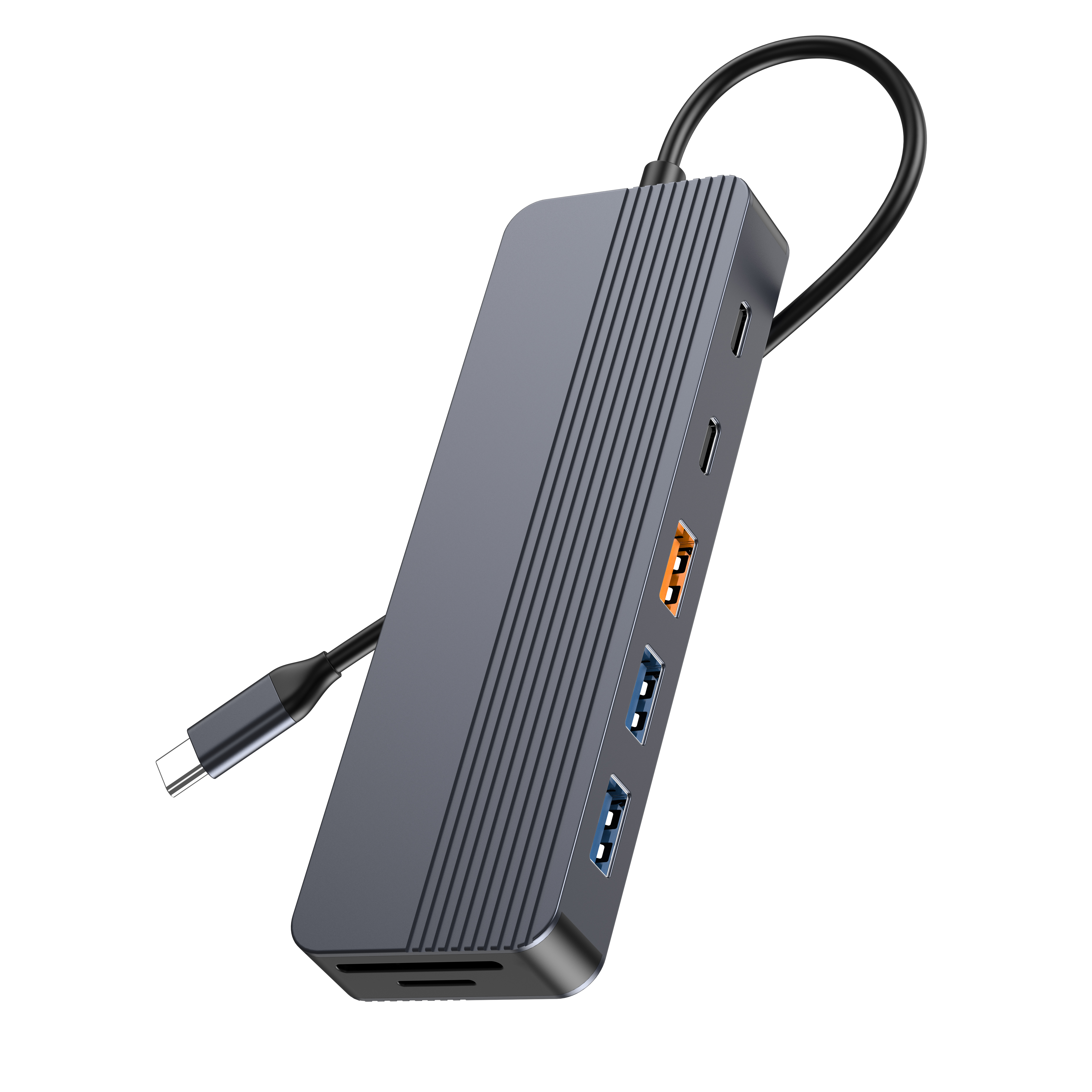
Why Laptop Charging via 100W USB C Hub is a Crucial Upgrade
Switching your setup to utilize a laptop charging 100W USB C hub changes how you work. It is not just about adding more USB slots. It fundamentally improves daily operational efficiency. It protects your expensive hardware investments.
Streamlined Workspace (The Single-Cable Solution)
Bulky proprietary charging bricks create desk clutter. They tie you to specific wall outlets. A pass-through device eliminates this problem completely. You can mount a single high-capacity GaN (Gallium Nitride) charger under your desk. You run one single cable up to your workstation.
When you arrive at your desk, you plug in just one connector. Instantly, your dual monitors wake up. Your wired gigabit internet connects. Your external hard drives mount. Simultaneously, your computer begins charging. This single-cable philosophy saves time. It reduces wear and tear on your computer ports.
Dynamic Power Allocation
Premium docking devices feature intelligent power distribution chips. They do not just blindly hold back wattage. They monitor connected peripherals actively. If you unplug a power-hungry external hard drive, the controller notices immediately.
The chip recalculates the available power budget. It then dynamically routes that freed-up wattage back to the host machine. This dynamic allocation ensures your computer always receives the maximum safe charging speed possible at any given moment.
Battery Health Preservation
Many users worry about overcharging their batteries. Constant connection to power used to degrade lithium-ion cells quickly. Modern PD standards solve this issue elegantly. Once your battery reaches 100%, the internal circuitry changes behavior.
The system actively bypasses the battery. It routes the incoming power directly to the motherboard and processor. This direct-power mode prevents micro-cycling. Micro-cycling happens when a battery drops to 99% and charges back to 100% repeatedly. Preventing this cycle reduces internal heat. It significantly extends the overall lifespan of your lithium-ion cells.
The Hidden Costs of Low-Quality Hubs (Risk & Safety Analysis)
Budget hardware often looks identical to premium gear on the outside. However, the internal components tell a completely different story. Cutting costs on power delivery engineering introduces severe operational risks. You must know what happens when safety standards are ignored.
Thermal Throttling & Disconnects
Handling 100W of electricity generates significant heat. Processing 4K video signals simultaneously adds even more thermal load. Cheap plastic enclosures trap this heat inside. The internal chips quickly reach critical temperatures.
To prevent melting, these cheap chips engage thermal throttling. They slow down data transfer speeds drastically. If the temperature continues rising, the controller shuts down completely. This results in random peripheral drops. Your monitors will go black. Your file transfers will fail halfway through.
Missing Protection Circuits
Quality manufacturing includes multiple layers of electrical failsafes. Low-cost alternatives strip these out to save pennies per unit. Missing these protections puts your thousand-dollar computer at risk.
- Over-Current Protection (OCP): Prevents a faulty USB accessory from drawing too much current and causing a short circuit.
- Over-Voltage Protection (OVP): Blocks sudden voltage spikes from the wall charger from reaching your sensitive motherboard.
- Over-Temperature Protection (OTP): Safely cuts off power delivery before the physical housing reaches combustible temperatures.
Without these circuits, a simple power surge can destroy your host device completely.
The "Boot Loop" Issue
Poorly designed power routing causes major headaches. Imagine you unplug the wall charger from the hub to move it. A poorly engineered controller will drop power to all connected devices for two seconds while it switches to drawing power from the laptop battery.
This brief interruption disconnects your external hard drives improperly. Improper disconnections lead directly to file corruption. It forces external monitors to cycle off and back on. This annoying "boot loop" disrupts workflow constantly. Premium devices utilize continuous power switching to prevent this exact drop.
Essential 100W USB C Hub Specifications to Evaluate
You must look beyond marketing buzzwords. Evaluating core 100W USB C hub specifications guarantees you purchase a stable device. IT buyers should check these specific technical metrics before mass deployment.
Supported PD Protocol
Always check the specific Power Delivery version. PD 2.0 is outdated and lacks modern safety features. You need a device supporting at least PD 3.0. This standard introduces Fast Role Swap (FRS) support.
FRS allows the controller to instantly swap power directions. If you unplug the wall adapter, the hub seamlessly pulls power from the laptop instead. FRS happens in less than 150 microseconds. This prevents the dreaded boot loop and keeps your external drives safely mounted.
Port Configuration and Bandwidth
You cannot have infinite bandwidth and infinite power simultaneously. You must balance your data needs against your total power budget. Connecting dual 4K monitors at 60Hz requires massive data bandwidth. It leaves less capacity for high-speed file transfers.
Look for clear port specifications. Ensure the USB-A or USB-C data ports support 10Gbps (USB 3.2 Gen 2) if you use external SSDs. If you only use mice and keyboards, 480Mbps (USB 2.0) ports are perfectly fine. They consume less internal power anyway.
Thermal Design Material
Never buy a high-wattage pass-through device housed in pure plastic. Plastic acts as a thermal insulator. It traps dangerous heat inside the circuitry.
You must demand aluminum alloy housings. Aluminum acts as a passive heatsink. It pulls heat away from the internal chips and dissipates it into the air. The best designs include integrated heat dissipation fins. These fins increase the surface area, keeping the controller perfectly cool under heavy loads.
Compliance and Certifications
Enterprise deployments require strict safety compliance. Uncertified hardware is a severe fire hazard. You should check for specific industry standard badges.
- USB-IF Certification: Proves the device meets the official USB Implementers Forum standards for safety and compatibility.
- CE Mark: Indicates conformity with European health, safety, and environmental protection standards.
- FCC Certification: Ensures the device does not emit harmful electromagnetic interference disrupting other office equipment.
- RoHS: Guarantees the manufacturing process avoids hazardous materials like lead and mercury.
Procurement & Scaling: Choosing a Reliable 100W USB C Hub Supplier
Buying one hub for a home office is easy. Deploying hundreds across a corporate network requires serious vendor vetting. You must look for manufacturing excellence. Finding the right partner dictates the long-term stability of your entire hardware ecosystem.
Quality Assurance in Manufacturing
B2B buyers and IT departments cannot risk high failure rates. You must ask potential vendors about their factory testing procedures. A reliable partner implements strict Printed Circuit Board (PCB) testing.
They should perform extensive burn-in processes. This involves running the hardware at maximum 100W load in a heated chamber for 24 hours. Units failing this stress test never reach the shipping box. This level of quality assurance prevents dead-on-arrival units from reaching your office desks.
Customization Capabilities
Off-the-shelf products do not always fit specialized corporate needs. You might need a custom 100W USB C hub designed specifically for your workflow. Certain departments require more legacy USB-A ports. Other teams might need dual DisplayPort outputs instead of HDMI.
A capable manufacturer can modify internal PCB layouts. They can adjust integrated cable lengths to fit specific standing desk mounts. They can even apply corporate branding and asset tracking numbers directly onto the aluminum chassis. Partnering with a versatile 100W USB C hub supplier opens doors for these bespoke enterprise solutions.
Warranty and Post-Sale Support
Mass deployments inevitably face minor compatibility hiccups over time. Operating systems update. New monitor models get introduced. You need a vendor providing robust post-sale support.
Look for extended enterprise warranties covering multiple years. Ensure the supplier offers direct engineering support. When a strange firmware issue arises with a new laptop fleet, you want direct access to the engineers who wrote the firmware. This direct line cuts troubleshooting time from weeks down to hours.
Conclusion
A well-engineered 100W pass-through device is far more than a simple dongle. It serves as the central docking station for your entire workflow. It handles the critical task of negotiating high-voltage electricity while simultaneously managing gigabits of data. Its internal quality directly dictates the stability of your workspace.
Before making a purchase, calculate your exact power draw. Check your laptop charger's maximum output. Add up the estimated wattage of your typical external accessories. This simple math sets realistic charging expectations and prevents frustrating bottlenecks.
Do not compromise on desktop safety and efficiency. IT buyers and procurement managers should thoroughly review their current hardware specifications. Reach out to certified manufacturers today to discuss custom wholesale solutions tailored precisely to your operational needs.
FAQ
Q: Can a 100W USB C hub charge a laptop that originally came with a 65W charger?
A: Yes. The PD protocol ensures the laptop only draws the exact power it requires. If your computer needs 65W, it will request only 65W from the hub. The controller perfectly manages this request, completely preventing any risk of overcharging or battery damage.
Q: Why does my laptop say "Slow Charger Connected" when using a 100W hub?
A: This happens due to internal power deduction. The hub intercepts roughly 15W to power its own chips and connected accessories. If you plug in a 100W wall adapter, the laptop only receives 85W. If your heavy-duty laptop expects a 100W minimum, its operating system will flag the 85W as a slow charger.
Q: What is the correct order to plug in devices to a PD hub?
A: Best practice requires a specific sequence. First, plug the wall charger directly into the hub. Wait two to three seconds for the internal power delivery chips to stabilize. Finally, connect the hub's main cable to your laptop. This order avoids sudden power spikes and guarantees a clean digital handshake.



