Hardware procurement demands uncompromising precision. Post-shipment defects in B2B networking equipment create devastating consequences for your enterprise. Defective shipments destroy client trust and trigger massive return logistics. We often see severe network downtime directly linked to unchecked hardware batches. Factory-floor tested labels frequently mislead buyers. A simple connection test does not guarantee sustained Gigabit performance. Basic testing fails to verify enterprise-grade reliability under heavy network loads. We must look beyond superficial checks. You need a rigorous protocol to validate every batch before shipment. This article delivers a verifiable, step-by-step quality assurance framework. You will learn how to evaluate Ethernet hardware thoroughly. We guide you through assessing internal chipsets, mechanical tolerances, and thermal stability under pressure. You can confidently authorize final shipments after implementing these proven protocols. By mastering these inspection steps, you protect your supply chain from costly failures.
Key Takeaways
- Always verify chipset identity and firmware consistency before physical testing begins.
- Sustained throughput testing (using tools like iPerf3) is mandatory to uncover thermal throttling disguised as network drops.
- Mechanical port durability and exact adherence to agreed USB C Ethernet hub specifications prevent early lifecycle failures.
- Implementing strict Acceptable Quality Limit (AQL) sampling ensures your supplier maintains consistent production standards.
1. Verifying Specifications and Firmware Consistency
You must verify hardware specifications thoroughly. Suppliers sometimes substitute components during mass production. They do this to manage sudden supply chain shortages. These undocumented changes ruin network stability. Start by requesting the complete Bill of Materials (BOM). Cross-reference the production units against your initial engineering blueprint. You must confirm the exact controller chipset is present. Specific models from Realtek or ASIX behave differently under extreme load. Do not accept generic, unbranded component substitutes. Unverified chips compromise the entire device architecture.
Next, you must verify the device firmware. Ensure factory workers flashed all units using the latest stable firmware version. Outdated firmware causes severe driver conflicts. It leads to random disconnects during large file transfers. You must test multiple random samples from the production line. Extract the firmware version using standard administrative diagnostic tools. Compare this version against the approved engineering sample. Address any discrepancies immediately before authorizing shipment.
Finally, inspect the MAC address allocation carefully. Verify every single unit possesses a globally unique MAC address. Duplicate addresses crash enterprise networks instantly. Address collisions cause severe data routing failures across managed switches. If you ordered a custom USB C Ethernet hub, check the EEPROM configurations rigorously. You must ensure any enterprise-specific MAC passthrough features function flawlessly. Your IT administrators rely on these specific passthrough features for secure device management. Flawed EEPROM programming renders these advanced features completely useless.
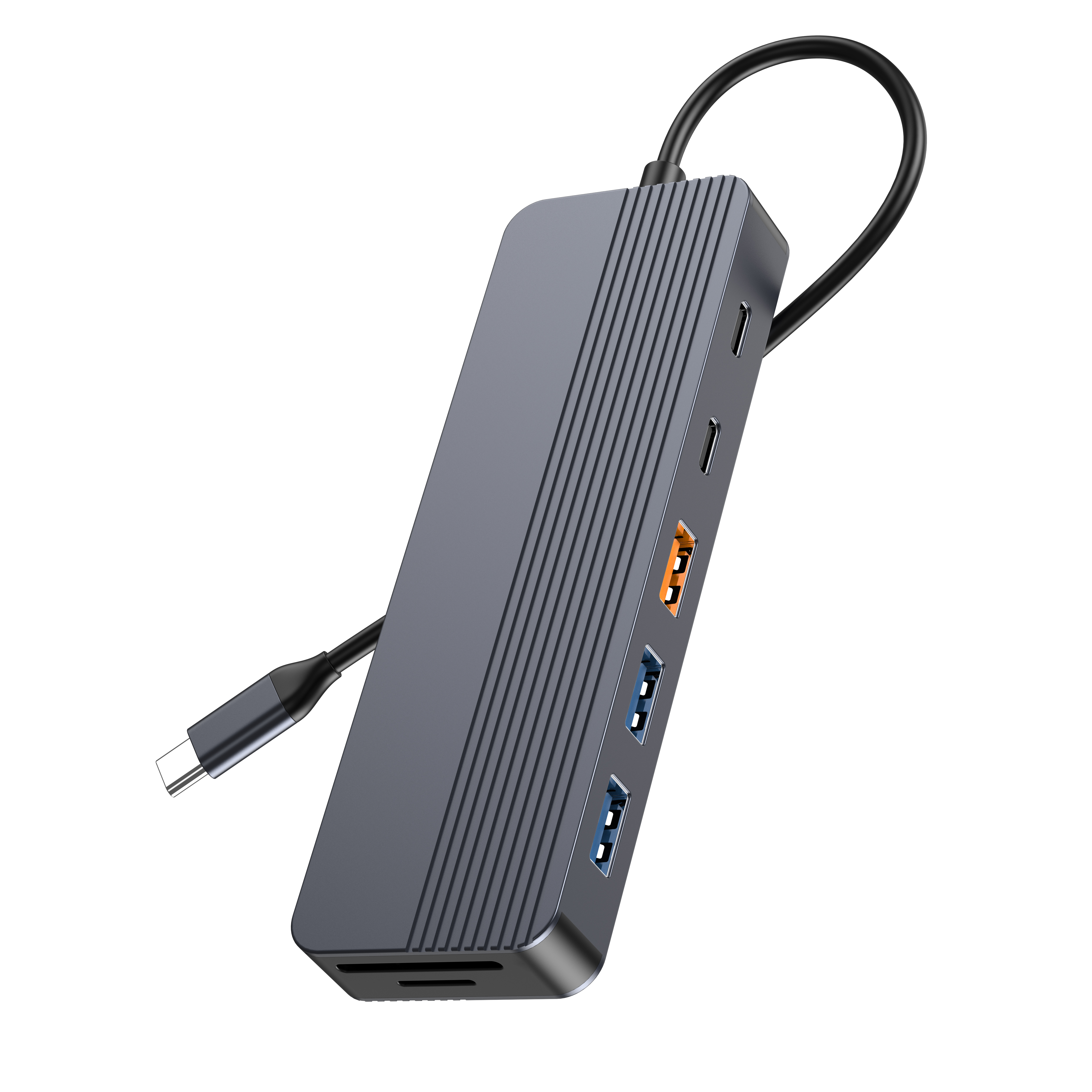
2. Physical Inspection and Mechanical Tolerances
Physical inspection requires extreme attention to detail. Mechanical tolerances dictate the actual lifespan of the hardware. Start by testing connector insertion and extraction lifespans. Check the USB-C connector first. Assess the RJ45 port tensions next. Connectors must meet standard insertion-cycle ratings without compromise. A quality port exhibits zero loose tolerances. It should never wobble during operation. Wobbling indicates poor internal structural support.
Build quality matters significantly for enterprise deployments. Inspect the chassis seams closely under bright light. You should evaluate LED indicator alignment for assembly precision. Cable strain relief requires vigorous, repeated testing. Bend the cable repeatedly at the connection point. Weak strain relief causes internal wire fractures quickly. You will experience random data drops if these wires break.
Thermal design validation remains critical for networking gear. Gigabit data transfer generates measurable, sustained heat. Assess the housing material carefully. Aluminum housing dissipates heat much faster than cheap plastic. Ensure the housing matches your initial design requirements. The design must accommodate proper heat dissipation channels.
Best Practices for Mechanical Inspections:
- Perform pull-force tests on the main cable assembly.
- Shake the unit gently to detect loose internal components.
- Measure gap tolerances between the outer shell and port openings.
- Verify the tactile click mechanism inside the RJ45 socket.
- Examine the internal PCB mounting screws for proper torque.
3. Stress-Testing the Wired Networking USB C Ethernet Hub
You must stress-test your networking gear aggressively. Basic connection tests tell you nothing about sustained performance. Use standard network testing tools to evaluate actual bandwidth. Measure the throughput under extreme, simulated stress. A properly functioning device should sustain roughly 940 Mbps of actual TCP throughput. Reject units showing significant speed degradation. Testing your wired networking USB C Ethernet hub reveals hidden hardware flaws quickly.
Packet loss indicates severe controller instability. Run continuous ping tests targeting local servers. Execute UDP jitter tests under maximum network load. These tests identify poor soldering quickly. Bad joints cause intermittent micro-disconnects during data transfers. You cannot detect these micro-disconnects during casual web browsing. They only appear when the controller handles massive, concurrent requests.
Thermal throttling checks are strictly mandatory. Heat buildup destroys network speeds over time. Subject the hubs to continuous maximum-bandwidth transfers. Maintain this load for two to four hours. Conduct this test in a standard climate-controlled environment. Ensure performance does not degrade as internal temperatures rise. Unstable hubs will crash entirely during this soaking period.
Standardized Stress-Testing Protocol:
- Connect the hub to an isolated, high-performance testing server.
- Initiate an iPerf3 TCP stream for 60 seconds to check baseline speeds.
- Launch a multi-threaded UDP test to measure jitter and packet drops.
- Sustain maximum data transfer continuously for a three-hour window.
- Record the final throughput metrics and compare them to the initial baseline.
4. OS Compatibility and Compliance Verification
Operating system compatibility defines the final user experience. You must verify true plug-and-play functionality unconditionally. Test across current builds of Windows and macOS. Include ChromeOS and standard Linux distributions in your protocol. A premium USB C Ethernet hub requires zero manual driver installations on modern systems. Verify seamless recognition upon immediate insertion. Device managers should display the hardware without error codes.
Evaluate Power Delivery (PD) checks carefully if applicable. Many hubs feature pass-through charging capabilities today. Test the power negotiation protocols thoroughly. You must ensure no voltage spikes reach the host device. Network operation should never interrupt power delivery. Monitor the voltage stability using dedicated hardware analyzers. The power circuits must remain entirely isolated from the data lines.
Regulatory documentation protects your business from customs seizures. Visually inspect all units for required compliance markings. Look for FCC, CE, and RoHS stamps on the chassis. You must verify factory certificates independently. Ensure the factory holds up-to-date documentation for the specific product lot. Fake markings invite massive legal liabilities and port delays.
Common Regulatory Compliance Standards
| Standard Name | Governing Region | Primary Focus Area |
| FCC Part 15 | United States | Electromagnetic interference limits |
| CE Mark | European Economic Area | Health, safety, and environmental protection |
| RoHS Directive | European Union / Global | Restriction of hazardous substances |
| UKCA | United Kingdom | Post-Brexit product safety standards |
5. Establishing Inspection Protocols with Your USB C Ethernet Hub Supplier
You must establish strict inspection parameters early. Agree on these rules before mass production begins. Statistical sampling provides objective quality measurements. Define your Acceptable Quality Limit (AQL) clearly. We typically recommend AQL Level II for networking hardware. Set Critical defects to zero tolerance. Set Major defects to 1.5 percent. Set Minor defects to 4.0 percent. Your USB C Ethernet hub supplier must understand these exact limits completely. Contractual clarity prevents post-production disputes.
Evaluate your QA deployment strategy carefully. Compare third-party inspection agencies against internal in-house teams. Dispatching independent inspectors costs more upfront. Relying on factory self-reporting introduces massive bias risks. Independent audits provide unfiltered transparency. They act as an essential insurance policy for large procurement orders. We highly advise deploying independent engineers for initial batch testing.
Demand a comprehensive pre-shipment sign-off. Require detailed inspection reports before releasing final payments. These reports must include actual thermal imaging data. Request raw iPerf3 logs for remote verification. Demand high-resolution photos of internal PCB assemblies. Do not accept blurry images or generic summaries. Hold the shipment until you verify every data point.
AQL Statistical Sampling Structure
| Defect Category | AQL Threshold | Example Issue |
| Critical | 0.0 | Electrical short hazard, severe voltage leak |
| Major | 1.5 | Network port fails under load, device overheats |
| Minor | 4.0 | Slight cosmetic scratch, crooked indicator light |
Conclusion
Rigorous pre-shipment inspection represents a non-negotiable step. Hardware procurement requires extreme diligence. A systematic evaluation prevents costly deployments of defective units. You protect your network infrastructure by verifying chipsets and testing thermal stability. Trusting factory labels blindly invites operational disaster.
Advise your procurement team to formalize these testing parameters immediately. Write these exact requirements into your supplier contracts. Update your Service Level Agreements (SLAs) accordingly. Establishing clear accountability minimizes dispute resolution times. You guarantee consistent product quality when suppliers know you verify everything.
FAQ
Q: What is the realistic maximum speed I should expect during a Gigabit Ethernet hub test?
A: You should expect TCP throughput between 940 and 950 Mbps. The theoretical maximum is 1000 Mbps for a 1000BASE-T connection. However, TCP/IP protocols introduce unavoidable packet overhead. Routing headers consume portions of the available bandwidth. Any speed exceeding 940 Mbps indicates a perfectly functioning Gigabit controller.
Q: How many units should be tested in a bulk order?
A: You should use standard ANSI/ASQ Z1.4 sampling tables. Your total order volume determines the exact sample size. For an order of 5,000 units, General Inspection Level II requires testing 200 random samples. This statistical approach provides high confidence without the extreme cost of testing every single unit.
Q: Can a hub pass a basic connection test but fail under load?
A: Yes, this happens frequently. Cheap chipsets often connect successfully initially. Inadequate thermal paste causes rapid heat accumulation during heavy use. The internal controller overheats after 20 minutes of sustained data transfer. This overheating forces the chipset to throttle speeds. The hub will eventually drop packets or disconnect entirely.



