Continuous 4K video transmission generates significant heat. Hubs built from substandard materials suffer from severe thermal throttling. This inevitably leads to flickering displays, sudden signal drops, and premature hardware failure. Procurement managers and IT hardware buyers need highly reliable devices for enterprise deployment. You must evaluate physical build quality, thermal dissipation properties, and shielding materials to ensure long-term reliability. Moving beyond basic port counts protects your broader technology investments. In this comprehensive guide, we explore the exact materials required to sustain high-performance video output. You will learn how premium aluminum alloys, multi-layer shielding, and superior connector plating directly impact daily operations. We will also reveal how to properly evaluate suppliers for your specific deployment needs, ensuring you secure the highest quality components for your users.
Key Takeaways
- Housing material directly limits or enables sustained 4K performance; aluminum alloys significantly outperform ABS plastics in passive cooling.
- Internal cable shielding is non-negotiable for stable display expansion and preventing 2.4GHz wireless interference.
- Connector durability (plating and insertion ratings) determines the lifespan of the hub in heavy-use environments.
- Vetting a 4K HDMI USB C hub supplier requires analyzing their material certifications (RoHS, CE, FCC) and custom tooling capabilities.
The Housing: Thermal Management and Structural Integrity
Modern video processing chips run exceptionally hot under load. Components from manufacturers like Realtek or DisplayLink handle massive data throughput. Poor heat dissipation causes these chipsets to throttle aggressively. They lower refresh rates or disconnect entirely to prevent internal damage. You cannot ignore this physical limitation when deploying hardware.
Aluminum alloy serves as an ideal passive heatsink. Manufacturers typically use anodized or sandblasted finishes. High thermal conductivity allows the metal to pull heat away from the internal printed circuit board (PCB). The chassis dissipates this energy safely into the surrounding air. Aluminum also resists physical impact effortlessly. Users often drop devices in mobile or hot-desking environments. The rigid metal structure protects delicate internal solder joints from fracturing.
In contrast, polycarbonate and ABS plastics act as thermal insulators. They trap heat internally around the processing chips. Plastics remain generally unacceptable for sustained 4K resolution at 60Hz or higher. You rarely see active cooling fans in portable hubs, making passive dissipation critical. Furthermore, plastic housings are highly prone to micro-cracking. Constant expansion and contraction from thermal stress degrade the material over time.
You must establish strict evaluation metrics during procurement. Request maximum operating temperature specifications from your vendors. Ask them to provide thermal imaging data captured under sustained full-load testing. You can easily identify hotspots using FLIR cameras during your own internal reviews.
Material Performance Matrix
| Housing Material | Thermal Conductivity | Durability Under Stress | Best Use Case |
| Anodized Aluminum Alloy | High (Excellent passive cooling) | High (Resists micro-cracking) | Enterprise deployment, 4K video editing |
| Sandblasted Aluminum Alloy | High (Excellent passive cooling) | High (Scratch-resistant) | Frequent travel, hot-desking |
| Polycarbonate / ABS Plastic | Low (Traps internal heat) | Low (Prone to thermal fatigue) | Basic 1080p setups, low bandwidth tasks |
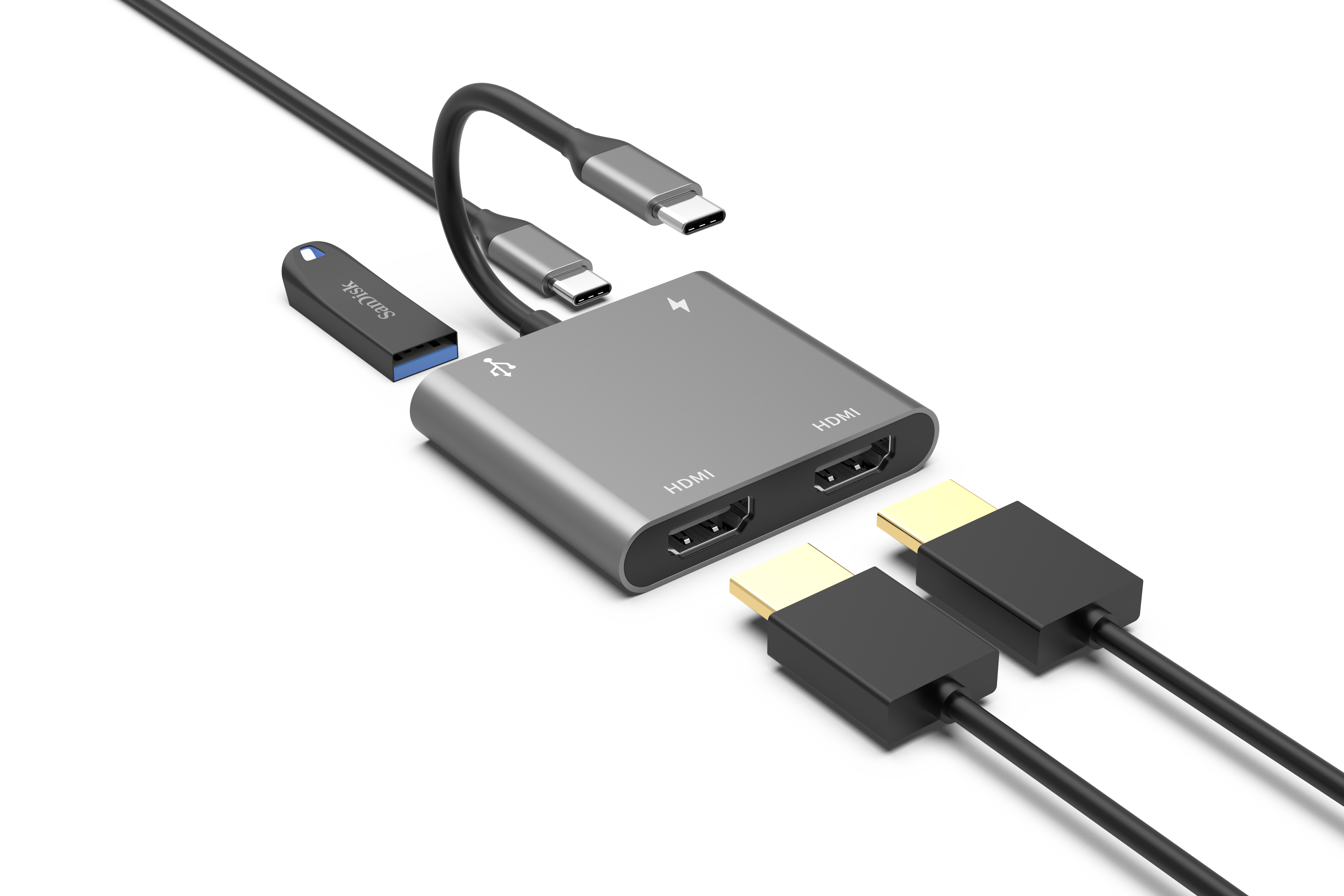
Cable and Wire Shielding Materials for Signal Integrity
Electromagnetic interference (EMI) presents a hidden danger to network stability. Unshielded data lines emit specific frequencies during operation. These frequencies frequently interfere with nearby Bluetooth and 2.4GHz Wi-Fi networks. Users often complain about dropped internet connections when plugging in unshielded accessories. You must examine the shielding architecture closely.
External jacket materials dictate the physical durability of the connection. Manufacturers usually offer two main options. Thermoplastic Elastomer (TPE) provides a flexible, eco-friendly solution. It offers standard durability suitable for stationary office desks. Nylon braided jackets deliver superior mechanical strength. They prevent the internal wires from fraying. We highly recommend braided cables for high-mobility scenarios where users constantly bend the cable.
Internal shielding architecture determines the actual signal integrity. You should look for multi-layer shielding inside the cable. Premium designs wrap the coaxial cables in aluminum foil first. They then encase the foil in a braided tinned copper mesh. This dual-layer approach effectively traps EMI inside the cable. It also prevents external signals from corrupting the video data.
Focusing on shielding guarantees a stable display expansion 4K HDMI USB C hub experience. You avoid visual artifacting on monitors. You also prevent localized wireless network disruptions. Your users maintain fast network speeds while outputting high-resolution video simultaneously.
Port and Connector Plating Quality
Consumers often misunderstand connector plating. Many believe digital signals travel faster over gold contacts. This is entirely false. Digital signals either arrive intact or they fail completely. However, plating material remains absolutely critical for physical longevity. It provides vital corrosion resistance in diverse environments.
Gold-plated connectors offer superior resistance to oxidation. Moisture in the air causes exposed metals to degrade. This degradation is especially problematic in humid coastal environments. Gold maintains lower contact resistance over time. You ensure a solid electrical connection even after thousands of insertion cycles. The minimal price premium for gold easily justifies the extended lifespan.
Nickel-plated connectors serve as a cost-effective standard. They remain perfectly acceptable for stationary, permanent setups. However, nickel degrades much faster under frequent physical stress. The plating slowly wears away during constant plugging and unplugging. Once the underlying metal is exposed, corrosion accelerates rapidly.
You must rigorously compare receptacle build quality. Evaluate the connectors using these specific steps:
- Request exact insertion and extraction force ratings from the manufacturer.
- Verify they test the connectors to at least 10,000 insertion cycles.
- Ensure the female ports feature reinforced internal pins to prevent bending.
- Check for secure latching mechanisms to avoid accidental disconnects.
These metrics distinguish cheap consumer goods from true enterprise-grade hardware. Paying attention to these details reduces your overall hardware replacement rates.
Internal PCB and Component Standards
The substrate quality of the internal circuit board dictates overall reliability. Premium manufacturers utilize high-quality multi-layer FR4 printed circuit boards (PCB). Multiple layers allow engineers to separate high-speed signal traces physically. This separation significantly reduces internal crosstalk. Your video signals remain pristine from the host device to the display. You can verify these details by checking the official 4K HDMI USB C hub specifications provided by the vendor.
Heat management extends beyond the outer shell. Exceptional designs incorporate internal thermal silicone pads. Sometimes, they even use advanced graphene layers. These materials physically bridge the main processing chips directly to the aluminum chassis. They create a highly efficient thermal highway. Heat escapes the PCB instantly, ensuring maximum performance during intensive tasks.
Compliance and safety components separate professional hardware from risky alternatives. You must demand the presence of specific safety chips on the board. Over-Current Protection (OCP) chips prevent too much power from flowing into the connected device. Over-Voltage Protection (OVP) chips block sudden electrical spikes.
These components ensure connected displays and host laptops remain protected from power surges. Surges represent a critical risk factor in bulk IT deployments. A single faulty accessory can destroy a highly expensive corporate laptop. Even a basic 4K HDMI USB C hub requires these safety mechanisms to prevent catastrophic hardware failure.
How to Vet a Custom 4K HDMI USB C Hub Supplier
Procuring hardware for your own brand requires strict due diligence. OEM and ODM buyers must assess a vendor's true customization capabilities. You might want to modify housing materials or engrave corporate logos. You may need to adjust cable lengths for specific workstation setups. You must ensure they can make these changes without compromising the original thermal dynamics. A reliable 4K HDMI USB C hub supplier will provide engineering feedback on your proposed modifications.
Material traceability ensures legal and environmental compliance. You must demand verifiable certificates for all sourcing materials. Look for up-to-date RoHS, REACH, CE, and FCC documentation. These certificates prove the product meets international safety standards. Avoid suppliers who cannot provide clear Bill of Materials (BOM) transparency. You need to know exactly what components sit inside the chassis.
Creating a customized product takes careful planning. When developing a custom 4K HDMI USB C hub, follow this shortlisting logic:
- Request initial engineering samples from at least three different vendors.
- Disassemble one unit from each vendor to inspect the PCB quality visually.
- Conduct rigorous internal stress tests on the remaining units.
- Run dual external displays while transferring large data files continuously.
- Utilize maximum pass-through charging simultaneously to generate peak internal heat.
- Measure peak external temperatures using calibrated infrared thermometers.
Taking these steps guarantees you partner with a manufacturer capable of meeting your exact standards. It eliminates vendors who cut corners on internal components.
Conclusion
- Scrutinize the detailed bill of materials before finalizing any procurement contracts to ensure premium component usage.
- Run sustained thermal imaging tests on sample units to verify the housing effectively dissipates extreme heat.
- Mandate independent compliance testing reports to guarantee electrical safety for bulk enterprise rollouts.
- Verify shielding layers physically by cutting open a sample cable to check for braided mesh and foil layers.
FAQ
Q: Does the exterior material actually affect 4K video performance?
A: Yes, indirectly. 4K video processing generates substantial heat. Aluminum housings dissipate this heat, preventing the internal chipset from thermal throttling, which causes screen flickering or signal loss.
Q: Are braided cables necessary for a 4K HDMI USB C hub?
A: While not strictly required for video transmission, nylon-braided outer jackets protect the internal foil shielding from physical stress. Intact shielding is mandatory for preventing signal interference.
Q: What should I look for when ordering a custom 4K HDMI USB C hub for my brand?
A: Focus on the supplier's ability to maintain thermal management in custom housing designs, their compliance with international material safety standards (RoHS), and their warranty terms regarding connector lifecycles.
Q: Why do some USB-C hubs block my Wi-Fi signal when outputting to a monitor?
A: This is caused by insufficient internal shielding on the USB 3.0/USB-C data lines, which leak electromagnetic interference (EMI) in the 2.4GHz band. High-quality hubs use braided copper and aluminum foil layers to contain this interference.



