Yes. A Thunderbolt 5 computer supports Thunderbolt 4 and Thunderbolt 3 accessories. It can also connect to USB4 and USB 3 devices through compatible ports and cables. The connection will operate within the limits of the older host, accessory, or cable. Intel's Thunderbolt 5 guidance confirms support for Thunderbolt 4 and Thunderbolt 3 accessories.
The direction of the connection matters. An older accessory connected to a Thunderbolt 5 computer has standard-level backward compatibility. A Thunderbolt 5 dock connected to an older computer depends on the dock's supported host modes. A successful connection also does not guarantee full bandwidth, every display mode, or every downstream feature.
Which Older Devices Work with Thunderbolt 5?
Thunderbolt 4 accessories: A Thunderbolt 5 computer supports them, but the connection remains within Thunderbolt 4 limits.
Thunderbolt 3 accessories: A Thunderbolt 5 computer supports them, with speed and features limited by the accessory and its connection.
USB4 and USB 3 devices: Thunderbolt products are designed to connect with these devices, but the available USB, display, charging, and PCIe features still depend on both sides of the connection.
Thunderbolt 5 docks on older computers: Compatibility is model-specific. The dock must support the host's Thunderbolt or USB4 mode.
The USB-C connector does not change these limits. USB-C describes the connector shape, while Thunderbolt, USB4, DisplayPort, PCIe, and USB Power Delivery describe the functions that may travel through it.
Why Connection Direction Changes the Answer
A Thunderbolt 5 computer is built to recognize Thunderbolt 4 and Thunderbolt 3 accessories. For example, an older storage device or dock can connect to the newer computer without gaining Thunderbolt 5 performance.
The reverse setup needs a model-level check. A Thunderbolt 5 dock may operate with a Thunderbolt 4 or USB4 computer when the dock supports that host mode. Thunderbolt 3 fallback must also be stated for the specific dock. Do not assume it from the Thunderbolt 5 name or the USB-C connector.
This difference explains why broad claims such as “all Thunderbolt 5 docks work with every older laptop” are unreliable. Dock controllers, firmware, operating systems, cables, and host features can change the result.
What Changes When an Older Connection Is Used?
Backward compatibility keeps older equipment useful, but it does not upgrade that equipment. The least capable part of the connection sets the practical limit.
Bandwidth: Thunderbolt 5 provides 80 Gbps of bidirectional bandwidth and can provide up to 120 Gbps in one direction through Bandwidth Boost. Thunderbolt 4 operates at up to 40 Gbps. An older host or accessory cannot use the full Thunderbolt 5 link rate.
Displays: Monitor count, resolution, and refresh rate depend on the host's graphics hardware, operating system, dock, adapters, and displays.
Storage and downstream ports: NVMe storage, Ethernet, and other devices share the bandwidth available from the host connection. Some dock functions may require PCIe tunneling or another feature that the host does not provide.
Charging: The host, dock, power supply, and cable must all support the required USB Power Delivery level. Connection compatibility alone does not guarantee a specific charging wattage.
Cables: A cable can limit bandwidth, charging, or display support. Use a cable rated for the required Thunderbolt generation and power level.
The official Thunderbolt 5 technology brief explains the 80 Gbps link, 120 Gbps Bandwidth Boost, and the lower 40 Gbps limit of Thunderbolt 4.
Why a USB-C Port Is Not Enough
Two USB-C ports can look identical while supporting different features. One may provide Thunderbolt 5. Another may offer USB data and charging but no Thunderbolt, PCIe tunneling, or video output.
Check the computer's technical specifications and look for the Thunderbolt symbol near the port. Then check the dock's supported host standards. A generic “USB-C compatible” statement is not enough for a high-speed dock, multi-display setup, or external NVMe workflow.
Why Thunderbolt 5 Docking Stations Must Be Checked by Model
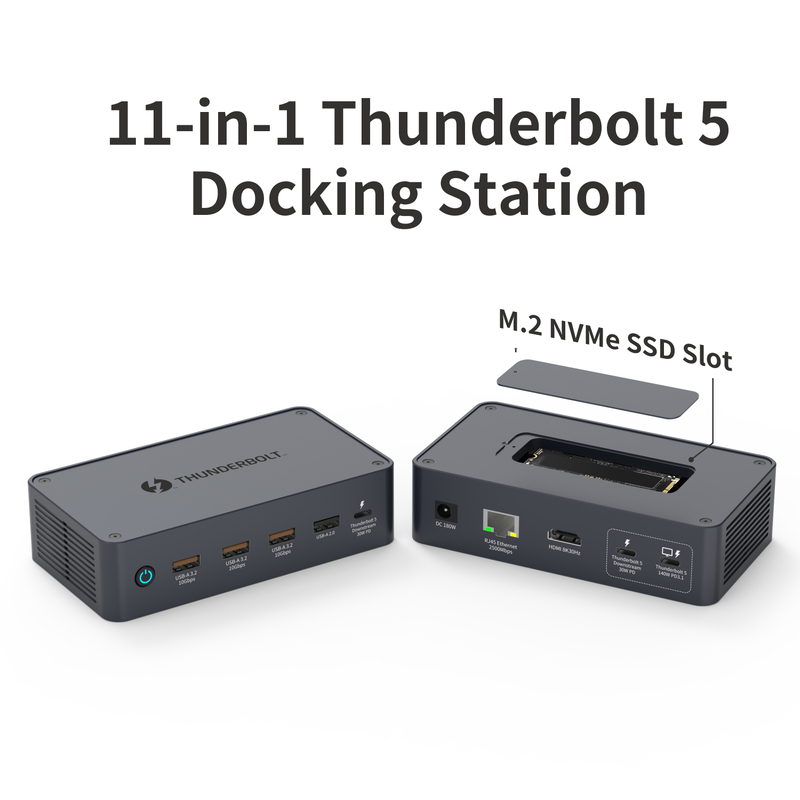
Our 11-in-1 Thunderbolt 5 docking station uses an 80 Gbps Thunderbolt 5 host connection and includes an M.2 NVMe SSD slot. Its display outputs, storage, Ethernet, and USB devices still depend on the bandwidth and features supplied by the connected computer.
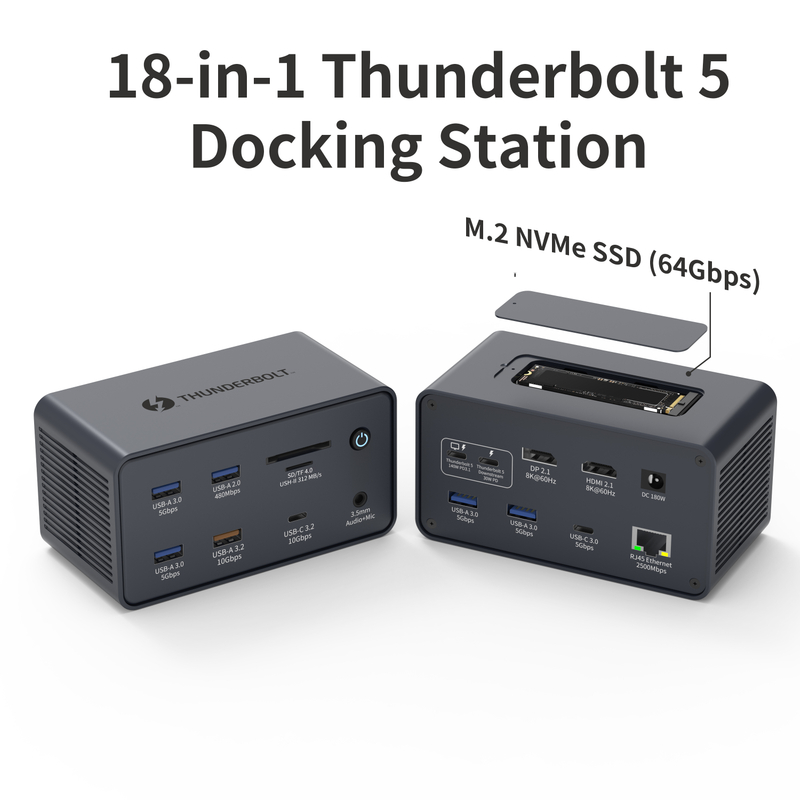
Our 18-in-1 Thunderbolt 5 dock supports Thunderbolt 5, Thunderbolt 4, and USB4 hosts. On an older supported host, available bandwidth and display behavior remain subject to the computer, operating system, and cable.
These examples show why compatibility information for one model should not be applied to another. Check the host list and feature limits for the exact dock you plan to use.
What Should You Check Before Choosing a Dock?
The Thunderbolt or USB4 standard supported by the oldest computer in the setup
The dock's model-specific host compatibility list
Display limits for the computer, graphics hardware, and operating system
Required data speed for storage, networking, and other devices
Host charging requirements and the dock's supported power output
The cable type, bandwidth rating, and power rating
Any required firmware, drivers, or operating system updates
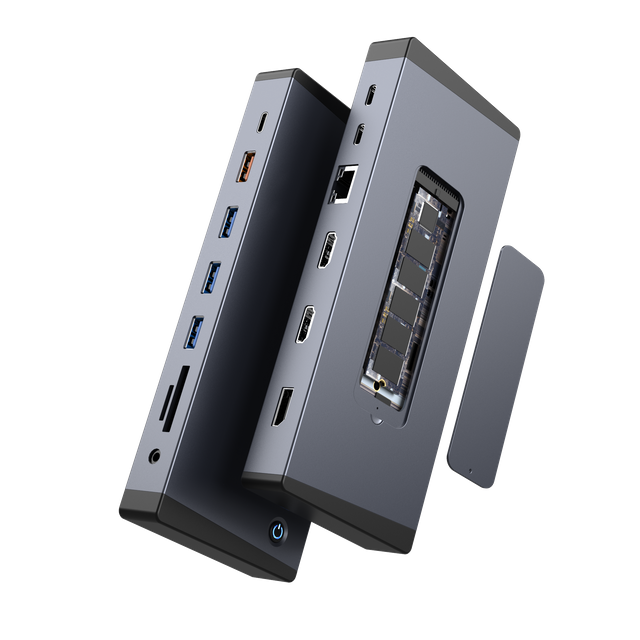
For mixed laptop fleets, start with the oldest host that must remain in service. Then choose a dock whose documented host support, displays, charging, and downstream ports match the full setup. You can compare our Thunderbolt 5 docking stations to review the available port configurations.