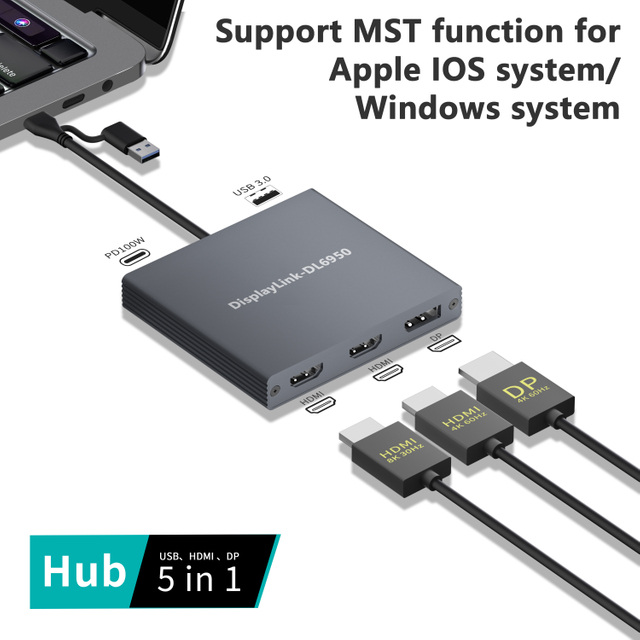
Modern laptops are marvels of hardware engineering. They grow thinner and lighter with each generation. However, this sleek aesthetic demands a steep sacrifice in essential connectivity. We rarely open a laptop today to find built-in HDMI, Ethernet, and a generous array of USB ports. Users are left stranded in a frustrating sea of dongles. Enter the high-performance hub. This single device transforms a minimalist laptop into a desktop powerhouse through one solitary cable.
Recent industry shifts reveal a massive spike in demand for high-bandwidth peripherals. As hybrid work models mature, professionals no longer settle for basic port replicators. They require intelligent workstations capable of managing massive data loads, localized AI processing, and raw video rendering. Consequently, the baseline expectation for port configurations has completely evolved. What was a premium setup three years ago is now the entry-level standard for enterprise deployments. When browsing the market, a crucial question emerges. How do you determine the exact configuration for your workflow? Options range from a modest five to a staggering eighteen-plus ports. Overbuying leads to wasted budget. Underbuying guarantees daily frustration. This guide breaks down exactly how many and what types of ports you need on a laptop docking station, ensuring your hardware investment matches your actual daily workload.
Key Takeaways
The Baseline: A reliable workstation hub should feature an absolute minimum of seven to ten ports to adequately cover basic charging, external displays, and everyday peripheral needs without bottlenecking.
Quality Over Quantity: The raw number of connections means little without the right specifications. High-speed Type-C and dedicated video outputs hold significantly more value than a dozen sluggish USB 2.0 slots.
Display Capabilities: Workflows demanding high-resolution output require models equipped with HDMI 2.1 or downstream high-bandwidth ports to guarantee smooth 4K or 8K video performance.
Power Delivery is Crucial: Always verify that your chosen device provides sufficient Power Delivery to keep your machine fully charged under heavy, sustained workloads.
Know Your Profile: A minimalist can thrive on roughly seven ports. A creative professional typically requires around eleven. Hardcore data analysts and engineers often push past eighteen connections to maintain peak productivity.
What is a Thunderbolt Docking Station?
At its core, this technology represents a monumental leap in data transfer and connectivity. From a hardware engineering perspective, it is not just a simple splitter. It boasts a massive 40Gbps bandwidth capability managed by advanced controller chips. This immense pipeline allows a single connection to handle high-resolution video, rapid data transfers, and substantial power delivery simultaneously without degrading signal integrity.
While a standard USB-C dock might look physically identical to its more powerful sibling, the underlying architecture is vastly different. Standard Type-C hubs typically max out at 10Gbps or 20Gbps. This forces severe compromises between display resolution and data speed. In contrast, a genuine high-bandwidth peripheral leverages that full 40Gbps highway. This ensures higher resolution display support, blazingly fast file transfers, and the unique ability to daisy-chain multiple devices without thermal throttling.
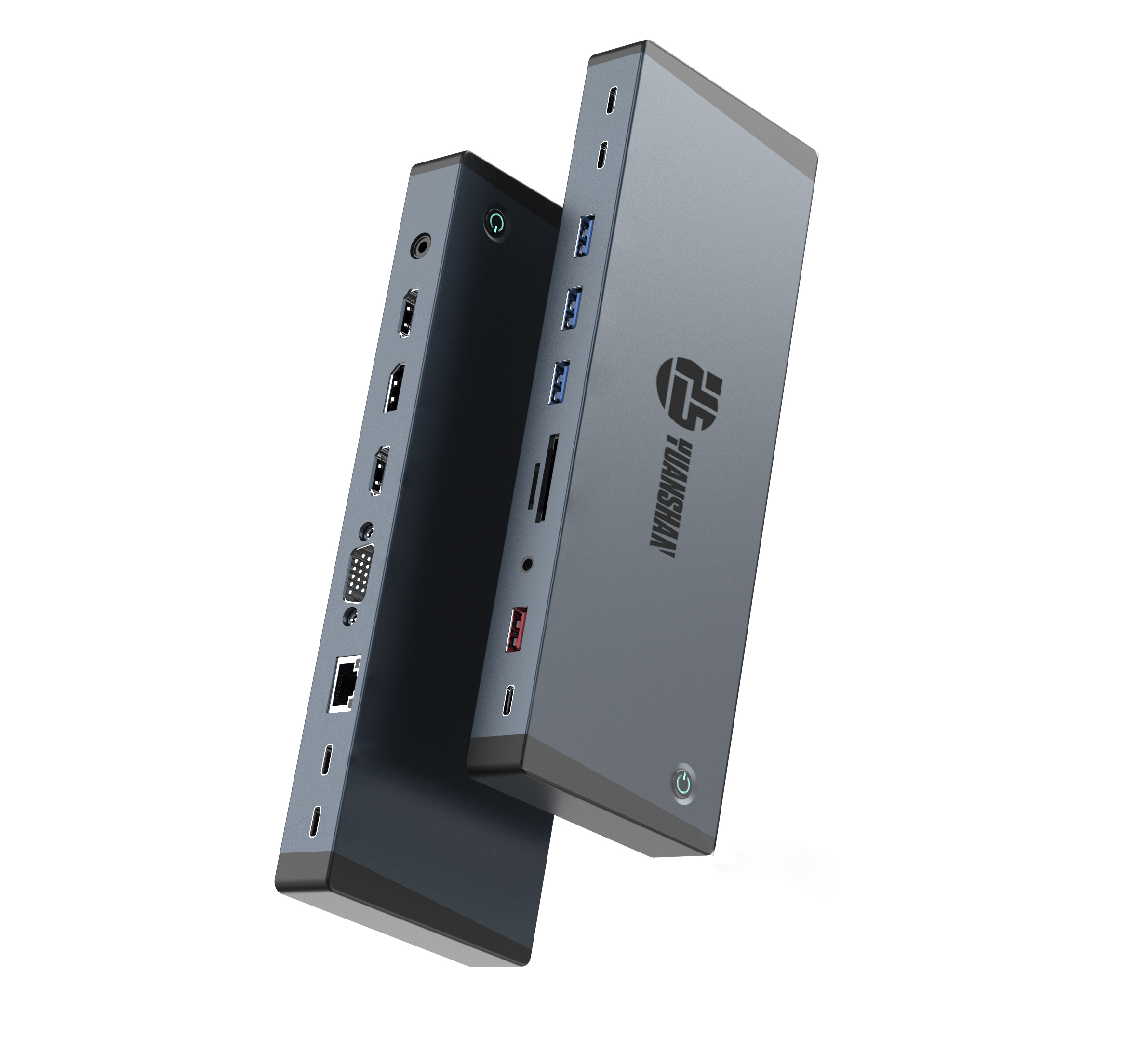
The Essential Ports Every Laptop Docking Station Must Have
Certain non-negotiable connections form the bedrock of any reliable desk setup. Without these foundational elements, a hub simply cannot support a modern professional environment. Hardware engineers look closely at power stability and video protocols when evaluating these baseline features.
The upstream port serves as the vital link connecting directly to your laptop. It acts as the brain of the operation. Furthermore, robust Power Delivery is absolutely critical here. Supplying stable wattage allows your machine to remain fully charged during intensive tasks. To achieve this, premium models utilize a massive 240W DC input. This dedicated power supply provides enough overhead to run internal chips, power multiple peripherals, and deliver sustained PD fast charging to the host machine without overheating.
Dedicated video ports are indispensable for expanding your visual real estate. To function effectively as a high-end workstation hub, the device must integrate modern standards. Specifically, Dual 4K HDMI ports are necessary to drive crisp, lag-free visuals across multiple external monitors. For future-proofing, top-tier models even support a single 8K display output for ultra-detailed rendering tasks.
Despite the tech industry moving toward a unified standard, legacy USB-A slots remain highly relevant. You will inevitably need them for reliable wireless receivers and mechanical keyboards. Additionally, ensuring the inclusion of 10Gbps USB ports is vital for interfacing with modern, ultra-fast external solid-state drives. Fast data ports prevent file transfers from bottlenecking your entire system.
Advanced Ports for Power Users and Creatives
For professionals who routinely push their hardware to the absolute limit, a basic seven-port configuration falls woefully short. Upgrading to a premium tier unlocks specialized connections designed for heavy-duty workflows. Let us examine how a high-end configuration compares to standard market offerings.
| Feature Specification | Standard USB Hub | Yuanshan 18-Port All-in-One Dock |
| Total Port Count | 5 to 8 Ports | 18 Ports |
| Display Support | Single 4K at 30Hz | Dual 4K HDMI or Single 8K Display |
| Power Architecture | 60W Pass-through | 240W DC Input with PD Fast Charging |
| Data Transfer Speeds | 5Gbps Maximum | Multiple 10Gbps USB Ports |
Downstream connectivity is a game-changer for video editors and 3D animators. It allows them to link ultra-fast RAID storage arrays directly to additional monitors without choking the system bus. While modern Wi-Fi is incredibly fast, it remains susceptible to interference and latency spikes. A hardwired Ethernet connection guarantees rock-solid stability during crucial client video calls or when transferring massive project files to a local server.
How Many Ports Do You Actually Need Based on User Profiles
Grouping evolving port counts by real-world use cases helps buyers navigate this complex landscape. We can categorize needs into three distinct operational profiles to make an informed purchasing decision.
The Minimalist requires roughly five to eight ports. Their core needs include one display output, two USB-A slots, one USB-C, and reliable Power Delivery. A compact, travel-friendly thunderbolt dock is more than sufficient to tackle daily assignments and casual browsing without cluttering the desk.
The Remote Worker operates best with nine to twelve ports. They need dual display capabilities, Gigabit Ethernet, multiple USB-A slots, audio interfaces, and robust Power Delivery. A standard desktop hub hits the sweet spot here. It provides enough versatility to anchor a permanent home office effectively.
The Power User demands an uncompromising eighteen-port setup. This profile strictly requires a premium station like an All-in-One Thunderbolt 4 Docking Station with 18 Ports. Features like 8K display support, 240W DC Input, Dual 4K HDMI, 10Gbps USB speeds, and PD Fast Charging ensure that peripheral limitations never throttle the creative or engineering process.
Building a 4K Display Dock Configuration
One of the primary catalysts for upgrading desk connectivity is the desire to run expansive multi-monitor setups. Expanding your visual workspace drastically improves multitasking efficiency. Achieving a seamless dual 4K experience at a smooth 60Hz refresh rate requires precise hardware matching.
You can accomplish this by utilizing a strategic mix of HDMI and DisplayPort routing through a dedicated 4K display dock. Pushing past two screens introduces strict bandwidth limitations. Advanced protocols handle complex video data streams much more efficiently than older iterations. However, it is crucial to understand that your laptop internal architecture ultimately dictates the final output. Integrated graphics chips inherently restrict multi-monitor capabilities compared to discrete GPU specifications, regardless of how powerful the connected hub might be.
Generational Differences and Bandwidth Allocation
Clarifying the generational leaps between protocols is essential. These upgrades directly influence the physical layout and capabilities of the device. Both recent generations technically advertise a 40Gbps ceiling. In contrast, the newer iteration guarantees much stricter minimum data requirements.
Specifically, the latest standard mandates 32Gbps dedicated strictly to PCIe data transfers. This effectively doubles the 16Gbps minimum required by older hardware. Why does this matter? It ensures external NVMe drives operate at peak speeds even when multiple high-resolution monitors are plugged in simultaneously. Furthermore, the introduction of true hubbing allows one upstream connection to split into three fully functional downstream ports. This tree-like branching drastically changes how engineers design high-port-count devices.
Common Mistakes to Avoid When Buying
Navigating the peripheral market can be tricky. Avoid these frequent pitfalls to ensure you get exactly what your workflow demands. Purchasing a hub that only delivers 60W of power for a high-performance workstation will lead to battery drain during intensive tasks. Always match the Power Delivery rating to your laptop original charger requirements.
Assuming any peripheral with an oval-shaped Type-C connector is inherently capable of massive bandwidth is a recipe for disappointment. Always verify the controller chipset and official certifications. Finally, ergonomics matter immensely. Having the host connection and a headphone jack conveniently located on the front panel is vastly superior to fumbling around the back of the unit every time you need to plug in a temporary thumb drive.
Conclusion
Ultimately, there is no single magic number of ports that perfectly suits everyone. For the vast majority of professionals, a ten-to-twelve port configuration hits the ideal sweet spot. However, for engineers, designers, and data analysts, investing in an eighteen-port powerhouse is a necessity rather than a luxury. Before making a purchase, audit your current desk environment. Count your existing monitors, tally up your USB peripherals, and assess your power requirements. For those seeking zero compromises in bandwidth, power, and display capabilities, explore premium solutions like the All-in-One Thunderbolt 4 Docking Station with 18 Ports from Yuanshan Tech to find the exact configuration that seamlessly integrates into your daily workflow.
FAQ
Can I plug a high-bandwidth dock into a regular USB-C port?
Yes, modern premium hubs are designed with backward compatibility in mind. They will successfully connect to standard Type-C ports. However, they will operate at significantly reduced speeds and may support fewer external displays due to the lower bandwidth of the host machine controller.
How many monitors can a premium dock support?
A well-equipped hub can generally support up to two 4K displays running at a fluid 60Hz, or a single massive 8K display at 30Hz. Keep in mind that these maximums are heavily dependent on your laptop internal graphics card capabilities and the specific display protocols supported by the hub.
Do I need a separate power supply for my docking station?
Yes, genuine high-bandwidth hubs require their own dedicated wall power adapter. For instance, top-tier models utilize a 240W DC input. This external juice is necessary to power the internal processing chips, feed energy to downstream connected devices, and provide the sustained Power Delivery needed to charge your laptop simultaneously.
Are more ports always better on a laptop docking station?
Not necessarily. A bulky unit cluttered with fifteen outdated USB 2.0 slots is objectively less useful than a streamlined model featuring 10Gbps USB connections and Dual 4K HDMI. It is always wiser to focus on the bandwidth allocation and specific type of connections rather than just chasing the highest total count.
Why are high-port docking stations more expensive than standard hubs?
The price difference comes down to the internal engineering. Premium docks require advanced controller chips to manage the 40Gbps bandwidth without data loss. They also feature complex thermal dissipation designs and massive power supplies to handle high-wattage Power Delivery safely.
Does using all ports at once slow down laptop performance?
It depends entirely on the dock architecture. A premium dock allocates dedicated PCIe lanes for data and separate bandwidth for video. While maxing out every port will saturate the 40Gbps cable limit, a properly engineered dock prevents this saturation from causing system crashes or noticeable lag on the host machine.