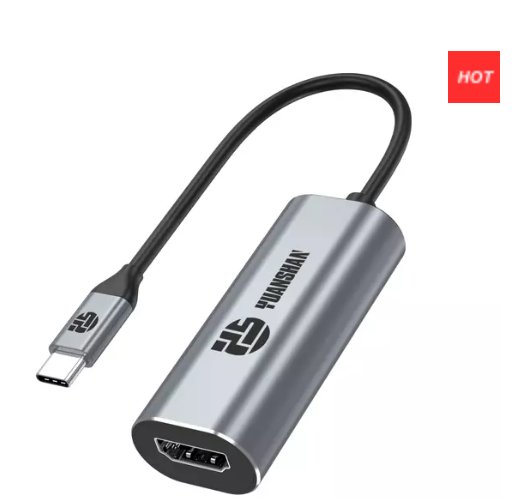
Innovative Connectivity Hub
Home » Blog » Industry News

Industry News

  • USB-C hub models for MacBook Pro and Air

    2025-09-08

    Looking for the best Yuanshan usb c hub for your MacBook Pro or Air? You’ll want to check out the 6-in-1 usb-c hub, the 10-in-1 docking station, and the Thunderbolt docking station. You get innovative design, fast delivery, and top-notch customer support. Yuanshan even offers custom OEM and ODM services, so you can find the perfect fit for your setup. Read More
  • What Is a USB-C Hub And Why You Need One?

    2025-09-01

    Are you tired of juggling multiple adapters for your devices? Enter the USB-C hub, a game-changer in connectivity. As USB-C technology becomes the standard, understanding its benefits is crucial. In this post, you'll learn why USB-C hubs are essential, their functionality, and how they enhance device connectivity. Read More
  • How To Set Up And Use A USB-C Hub?

    2025-08-25

    Have you ever struggled with limited ports on your laptop? USB-C hubs are here to solve that problem. These versatile devices expand connectivity, allowing you to connect multiple peripherals effortlessly. In this post, you'll learn what a USB-C hub is, why they're essential, and their common uses. Read More
  • What is a USB-C Hub?

    2025-08-18

    Have you ever wondered why laptops now ship with fewer ports? The shift toward slimmer devices leaves many users struggling to connect essentials.A USB-C Hub solves this problem. It expands one small USB-C port into multiple connections for power, data, and video. This universal connector has become the standard for modern laptops, tablets, and even smartphones.Imagine plugging in a monitor, keyboard, SSD, and charger—all through one hub. In this post, you’ll learn what a USB-C Hub is, why it matters today, and how it transforms your device into a powerful workstation. Read More
  • How To Use Usb C To Hdmi on Macbook Air?

    2025-08-15

    Have you ever wished your MacBook Air screen was bigger? Many users struggle with limited space when editing, working, or watching videos. A larger display can boost focus, comfort, and productivity. From office presentations to classroom projects, connecting to HDMI unlocks new possibilities. Gamers, designers, and streamers also benefit from expanded screens. MacBook Air’s slim design means no built-in HDMI, creating a common challenge. Read More
  • How to Restart MacBook After Update Issues?

    2025-08-11

    Have you ever updated your MacBook only to find it won’t restart? Many users face this frustrating issue after macOS updates. A frozen screen, endless reboot loop, or unresponsive system can quickly disrupt your day.One overlooked factor is the role of accessories like a USB-C Hub. Incompatible hubs can cause power or driver conflicts that prevent a smooth restart. Understanding this connection is essential to keeping your MacBook stable.In this post, you’ll learn why restart problems happen after updates and how to fix them. We’ll cover simple steps like force restarts, Safe Mode, and advanced fixes, plus how the right USB-C Hub can prevent future issues. Read More
  • Total 13 pages  Go to Page
  • Go

Video

Yuanshan Electronic Technology (Shenzhen) Co., Ltd.

Subscribe now to get a gift with your order!

Get An Exclusive 8% Off Your First Purchase

Products

About Us

More Links

Leave a Message
Contact Us

帮助

Contact Us

Telephone/WhatsAPP: +86-13510597717
Mail:seven@yuanshan-elec.com
Address: 8 / F, Bojiexin Industrial Park, No.38 Ping An Road, Guanhu Street, Longhua District, Shenzhen, Guangdong, China
Copyright © 2024 Yuanshan Electronic Technology (Shenzhen) Co.,Ltd. All Rights Reserved. | Sitemap | Privacy Policy