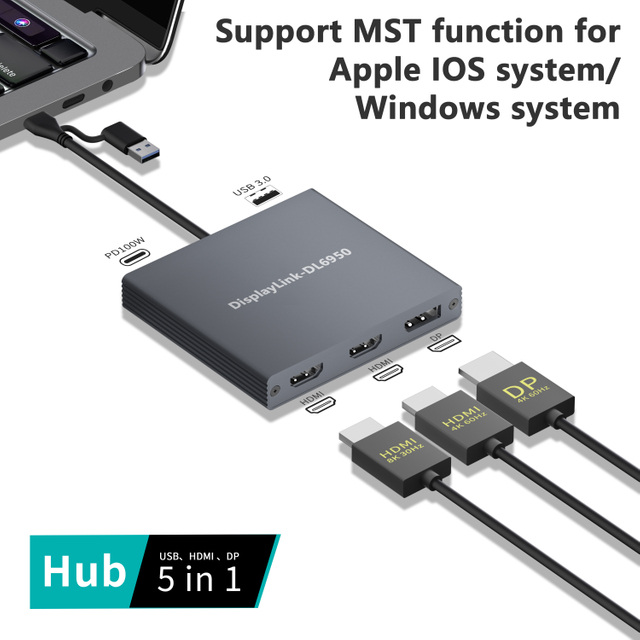
Are you tired of swapping cables every time you sit at your desk? Slim laptops are portable but often lack the essential ports you need for work. This guide compares the simple USB hub against the fully integrated Laptop Docking Station. You will learn which setup best fits your unique workflow.
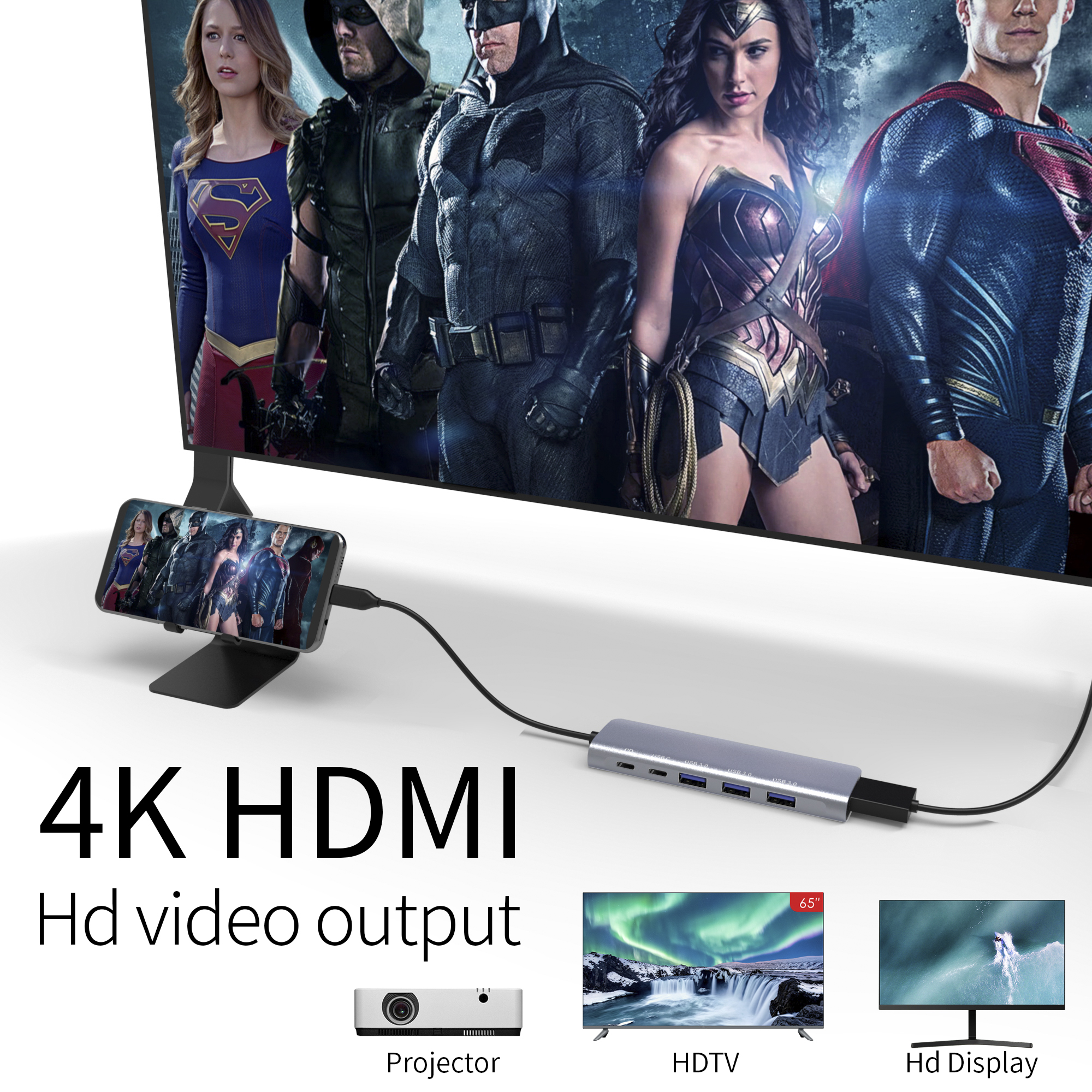
Key Takeaways
● Workflow Purpose: Choose a USB hub for simple port expansion on the go, or a Laptop Docking Station to transform your laptop into a permanent, multi-monitor workstation.
● Video and Connectivity: Docking stations offer advanced video outputs like HDMI and DisplayPort for multiple 4K monitors, whereas standard hubs typically provide only additional USB ports.
● Power Delivery: Most docking stations can charge your laptop and power high-drain peripherals through a single cable, while USB hubs usually rely on the laptop's battery or a basic external adapter.
● Performance and Speed: For high-speed data needs, a Thunderbolt Laptop Docking Station offers significantly higher bandwidth (up to 40Gbps) compared to the shared bandwidth of a standard USB hub.
● Portability vs. Stability: USB hubs are lightweight and travel-friendly, while docking stations are designed for stationary use to provide a stable, wired networking and desktop experience.
Choosing Your Setup: Do I Need a USB Hub or a Laptop Docking Station?
Deciding between these two devices depends entirely on how and where you work. To find your answer, you should first apply the "Desktop Replacement Test". If you want your laptop to transition instantly into a permanent workstation with multiple monitors and wired internet, a Laptop Docking Station is the superior choice. It offers the "single-cable dream," allowing you to power your machine and link every peripheral through one connection.
On the other hand, the portability factor is where the USB hub shines. Travelers, students, and remote workers who frequent coffee shops often prefer the compact nature of a hub. You must also assess your "peripheral intensity". Do you simply need to plug in a mouse and a flash drive, or are you managing a complex array of 4K monitors and high-speed storage?
Budgetary constraints also play a role. Basic hubs are highly affordable, often costing under $30, while a professional Laptop Docking Station is a significant investment that can exceed $200. However, you must consider technical compatibility. Does your laptop support Thunderbolt or high-bandwidth USB-C? Investing in a high-performance docking station is often the best way to future-proof your desk as your hardware and productivity needs evolve.
Note: Always verify your laptop's port specifications, as some USB-C ports support data only and cannot output video to a Laptop Docking Station.
Deep Dive: What is a Laptop Docking Station?
A Laptop Docking Station is far more than a simple port expander; it is a comprehensive command center for your workspace. It uses a "one-to-many" concept to turn a single port on your laptop into a dozen or more connections. Unlike basic hubs, these stations excel at video output, frequently supporting dual or even triple 4K monitor setups via HDMI and DisplayPort.
One of the most valuable features of Docking Station is Integrated Power Delivery (PD). This allows the station to charge your laptop while it handles data and video, eliminating the need to carry your power brick between the office and home. Beyond standard ports, they offer enterprise-grade features like dedicated Ethernet for stable, high-speed internet and specialized SD/microSD slots for creative tasks.
Feature | Laptop Docking Station |
Primary Use | Permanent Desktop Setup |
Video Support | Multiple 4K Monitors |
Power | Charges Laptop (Power Delivery) |
Networking | Dedicated Gigabit Ethernet |
Understanding the USB Hub: Simple Connectivity Expansion
A USB hub functions essentially as a "port multiplier" or a power strip for your data. It focuses primarily on increasing the number of USB-A or USB-C ports available for basic peripherals. These are perfect for connecting low-power devices like keyboards, mice, and thumb drives.
There are two main types: unpowered and powered. Unpowered hubs draw all their energy from your laptop, which is fine for basic tools but might fail with power-hungry external hard drives. Powered hubs include their own wall adapter, ensuring every connected device gets the electricity it needs. While they are incredibly portable, they have significant limitations regarding high-resolution video and gigabit data speeds. Their greatest strength is plug-and-play simplicity; they rarely require drivers and are ready to work the second they are connected.
Note: If you use multiple external SSDs simultaneously, an unpowered hub may cause disconnects; always opt for a powered version in data-heavy workflows.
Key Differences in Performance and Throughput
The real divide between these devices lies in bandwidth. USB hubs often share a single data lane among all ports, creating bandwidth bottlenecks when you try to transfer large files while using other peripherals. In contrast, a Thunderbolt-based Laptop Docking Station provides massive throughput, often reaching 40Gbps, which handles high-speed storage and high-resolution video without breaking a sweat.
Stability is another differentiator. A docking station’s dedicated Ethernet port provides a far more reliable connection than a hub's Wi-Fi reliance, which is critical for video conferencing. Furthermore, docking stations often include dedicated audio jacks for a lag-free multimedia experience. They are designed for robust device management, handling high-power peripherals that would typically crash or disconnect on a standard hub.
Connectivity Standards: USB-C vs. Thunderbolt
Understanding the "host port" on your laptop is vital. Most modern Laptop Docking Station models utilize the USB-C universal standard because it is versatile and widely adopted. However, not all USB-C ports are equal. Some only support data, while others support "Alt Mode" for video and Power Delivery for charging.
The Thunderbolt standard represents the high end of the market. It offers the "Thunderbolt Advantage," providing the 40Gbps speeds necessary for demanding tasks like 4K video editing or connecting external GPUs. For those in older office environments, some docking stations even provide legacy support, offering VGA or DVI ports for older projectors and monitors. Always ensure your laptop hardware can actually utilize these features before investing in a premium station.
Workflow-Specific Recommendations
Your choice should align with your daily professional habits. We recommend the following based on typical user profiles:
● The Remote Professional: A Laptop Docking Station is the gold standard. It allows you to maintain a clean, organized home office where you can "dock" your laptop with one cable and instantly access dual monitors and high-speed internet.
● The Student & Digital Nomad: A lightweight, multi-port USB hub is usually sufficient. It maximizes bag space and provides the extra ports needed for a mouse or a backup drive while working in a library or cafe.
● The Creative Power User: If you are a photographer or videographer, you need the high-speed data transfer of a Thunderbolt dock. This ensures you can offload massive 4K files from SD cards while maintaining a color-accurate external display.
● The Casual User: For those who only need to connect a printer and a wireless mouse occasionally, a basic USB hub is the most cost-effective and sensible solution.
Conclusion
Choosing between a USB hub and a Laptop Docking Station depends on your specific workspace goals. If you need a powerful, stationary setup for multiple displays, a dock is best. For simple, portable port expansion, a hub works perfectly. yuanshan-tech provides high-performance docking solutions that transform your laptop into a professional workstation. Our products ensure technical compatibility and reliability for every user. Making the right choice leads to a more organized and efficient life.
FAQS
Q: What is the main difference between a hub and a Laptop Docking Station?
A: A hub simply expands USB ports, while a Laptop Docking Station provides a full desktop experience with video and power.
Q: Why should I choose a Laptop Docking Station over a USB hub?
A: Choose it if you need multiple monitor support, wired Ethernet, and the ability to charge your laptop via one cable.
Q: Can a USB hub handle high-performance gaming monitors?
A: Usually no; most hubs lack the bandwidth for high-resolution video, making a Laptop Docking Station a more reliable choice.
Q: How much does a professional Laptop Docking Station cost?
A: Prices typically range from $50 to over $200 due to advanced features like Thunderbolt and integrated power delivery.
Q: Is a USB hub better for travel?
A: Yes, hubs are compact and lightweight, perfect for adding basic ports on the go without carrying a bulky station.