
English

Views: 0 Author: Site Editor Publish Time: 2026-08-28 Origin: Site
The fastest way to narrow down a USB hub is to decide how it gets power. A bus-powered hub draws everything from the host's USB port, while a powered (self-powered) hub uses its own adapter. That single choice affects how many devices it can run, whether it can charge them, and how portable the unit is.
Choose a bus-powered hub for portable, lower-draw setups such as keyboards, mice, and flash drives. Choose a powered hub when devices need more current—external drives, multiple peripherals, or charging while transferring data. The right answer depends on your device count, total power draw, and whether you need to charge through the hub.
"Powered vs bus-powered" is a question about the hub's power architecture, not its connector or speed. Both can use USB-A or USB-C upstream, and both can support USB 3.0/3.2 data rates. The difference is where the operating power comes from.
| Term | Power Source | What It Means for Buyers |
|---|---|---|
| Bus-Powered | Host USB port | No adapter; draws from the computer. Power is shared and limited by the host link. |
| Powered / Self-Powered | External adapter | A self-powered hub has a larger local power budget, but actual charging capability still depends on the downstream port design and supported charging protocol. |
| Unpowered hub (informal term) | Host USB port (no adapter) | Often used in product listings to mean a hub without an external adapter; technically, "bus-powered" is the clearer term. |
A common mistake is assuming "USB-C hub" means "powered." USB-C only describes the connector. A USB-C hub can be bus-powered or externally powered, so the power architecture must be specified separately from the connector.
On legacy standard USB ports, the host-side power budget may be around 500 mA for USB 2.0 or 900 mA for USB 3.x devices. USB-C, Battery Charging, and USB Power Delivery implementations can provide different power levels, so the actual upstream power budget must be verified for the host and hub design. A self-powered hub supplements or replaces reliance on the host-side power budget with an external supply, giving the hub more local power to allocate across downstream ports.
Use this four-step path to land on the right architecture before you specify port count or speed.
| Factor | Bus-Powered Hub | Powered / Self-Powered Hub |
|---|---|---|
| Power source | Host USB port | External AC/DC adapter |
| Per-port current | Limited by host budget | Closer to each port's rated limit |
| Charging | Limited; varies by host & device | Larger budget; charging depends on port/protocol |
| Portability | Cable-only, very portable | Needs adapter and outlet |
| Best for | Keyboards, mice, flash drives, travel | External drives, multi-device setups, and hubs designed for charging |
| Typical price | Lower | Higher (includes supply) |
A bus-powered hub covers the most common expansion needs. If your device mix is low-current—keyboards, mice, webcams, flash drives, card readers—and you do not need to charge anything substantial through the hub, bus-powered is the simpler and cheaper answer.
Move to a powered hub when the connected equipment needs more current than a host port can provide, or when you want charging to happen alongside data transfer.
Portable external drives can represent a relatively high transient or sustained load compared with keyboards or mice. Multiple high-draw devices on one bus-powered hub may cause unstable operation, disconnects, or failure to spin up, depending on the available upstream power. If you see drives dropping offline, peripherals resetting, or a phone charging too slowly, the hub may be approaching its power ceiling—moving to a powered model often resolves it.
A standard USB 3.x host port provides about 900 mA (USB-C, Battery Charging, and USB Power Delivery can differ). After the hub reserves current for its own controller, the remainder is shared across downstream ports. Sum the rated current of your busiest devices, then choose powered if that sum approaches or exceeds the host budget. Leaving 20–30% headroom can reduce the risk of intermittent drops.
Charging depends on architecture. A bus-powered hub may provide limited charging current to some connected devices, but charging performance varies by host power budget, hub design, and device negotiation. It may not be able to deliver the current needed for a tablet or to run a bus-powered drive at the same time. A self-powered hub has a larger local power budget, but actual charging capability still depends on the downstream port design and supported charging protocol.
"USB hub" does not automatically mean "charging hub." Confirm per-port output and whether the unit is bus-powered or externally powered before committing to a volume order. YUANSHAN's USB hub FAQ separates computer-powered models from adapter-powered ones and notes that charging behavior varies by model.
A straightforward bus-powered unit makes the trade-off concrete. Our 4-in-1 USB Hub expands one host connection into four USB-A data ports at up to 5 Gbps, with no adapter required.
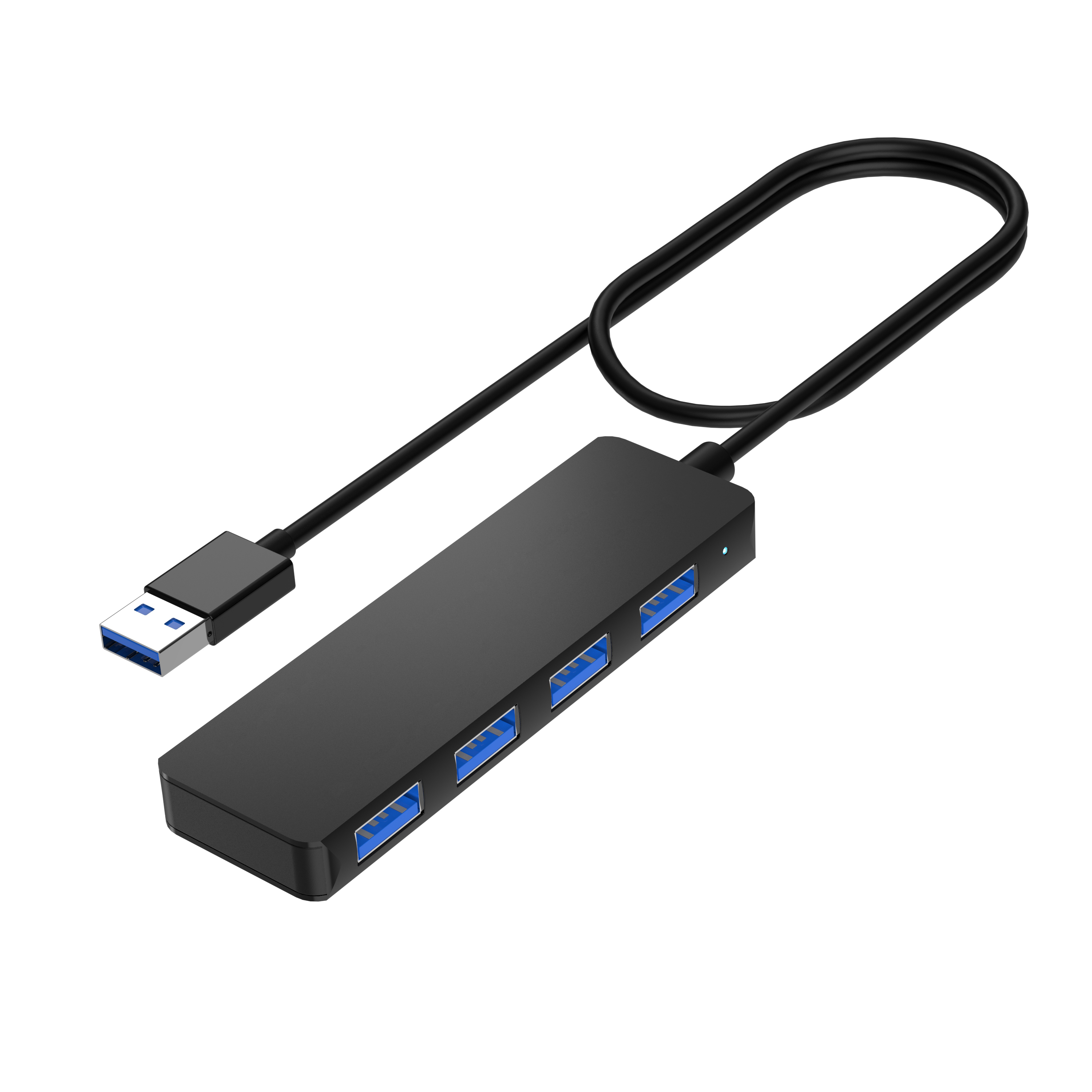
This model is built for the core bus-powered use case: adding data ports without an adapter. It suits keyboards, mice, flash drives, laptops, desktops, and tablets where the connected load stays low. For setups that need an external drive, device charging, or a higher sustained current, pair it with a powered hub from our USB hub range.
For powered configurations, define the adapter specification and intended connected-device load before sourcing. If you need a powered variant with a specific port mix or enclosure, our OEM/ODM program supports custom power design, housing, logo, and packaging.
For distributors, IT procurement, and private-label programs, the power decision should be documented in the sourcing brief rather than left implicit.
A clear power and connectivity brief prevents mismatch between port count, current delivery, and the actual device load.
Bus-powered or externally powered
Required per-port current
Adapter voltage and plug type
Charging requirement (if any)
Required port quantity
USB-A / USB-C downstream mix
Upstream connector type
Target host devices
Enclosure material and form factor
Logo and branding requirements
Packaging requirements
Target market and price position
Move from the power decision into the broader hub selection and product options.
A bus-powered hub draws all its operating power from the host's USB port. It needs no adapter, which makes it portable, but the current available to connected devices is limited by the host link.
A powered or self-powered hub uses an external adapter. The larger local power budget suits high-draw peripherals and multi-device setups, but actual charging capability still depends on the downstream port design and supported charging protocol.
A bus-powered hub may provide limited charging current to some connected devices, but charging performance varies by host power budget, hub design, and device negotiation. It may not reliably charge a tablet or run a bus-powered drive at the same time. For dependable charging, choose a self-powered hub that explicitly specifies the required charging capability.
The practical limit is set by current and bandwidth, not just socket count. A few low-draw peripherals are fine; several high-current devices will exceed the host budget and may disconnect.
When devices draw more current than a host port provides—external drives, multiple peripherals, or charging while transferring data. Signs you have outgrown bus-powered include drives dropping offline and slow charging.
It can, if the hub and the specific downstream port are designed to support simultaneous data and charging. A powered hub's external supply makes this far more likely than on a bus-powered unit, but the capability still depends on the downstream port design and supported charging protocol—having an adapter alone does not guarantee it.
Neither is universally better. Bus-powered wins on portability and price for low-draw setups; powered wins when current delivery and charging matter. The right choice follows your device load.
Yes. A powered hub works with laptops and is often the better choice for a desk setup where you connect drives, support several peripherals, and—where the downstream port supports it—charge a phone.
Define the power architecture, USB-A/USB-C port mix, data rate, cable requirements, form factor, logo, packaging, target devices, and target market before locking the design. We can use those requirements as the starting point for an OEM/ODM discussion.
Contact YUANSHAN About Your USB Hub Project →


