2026 OEM sourcing guide
The best platform starts with the right product specification
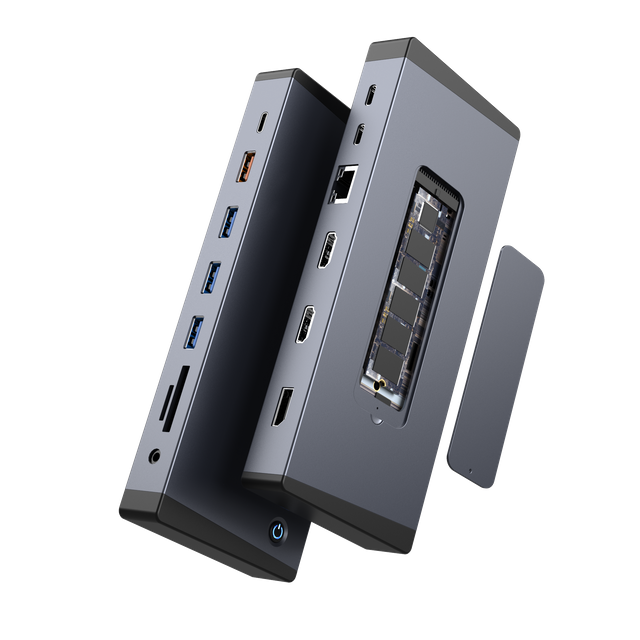
There is no single best OEM Thunderbolt 5 hub for every brand. The right choice depends on the host computers, display plan, power target, port mix, storage needs, enclosure, and validation process behind the finished product.
Quick answer: For 2026 OEM projects, Yuanshan offers two Thunderbolt 5 platforms worth evaluating: a focused 11-in-1 design and a broader 18-in-1 design. Both start with an 80 Gbps Thunderbolt 5 host connection, but they serve different product plans. Choose the platform that fits your users, then confirm the complete operating matrix before mass production.
What Makes an OEM Thunderbolt 5 Hub the Best Fit?
Retail roundups often rank docks by price or port count. OEM sourcing needs a different test. A platform must fit the planned use case and remain clear enough to manufacture, test, document, and support.
1
Host and display fit
Define the laptops, operating systems, display count, resolution, and refresh rate that matter to the project.
2
Power design
Set the host charging target and account for the power needed by ports, storage, and other connected devices.
3
Useful port mix
Choose ports around real workflows. More ports add little value when their speed or location does not match user needs.
4
Production readiness
Plan samples, full-load testing, thermal checks, packaging, documentation, and change control before launch.
Start With Thunderbolt 5 Bandwidth, but Do Not Stop There
Intel's Thunderbolt 5 technology brief defines an 80 Gbps connection and up to 120 Gbps in Bandwidth Boost. That gives a dock more room for displays and high-speed data than Thunderbolt 4.
The host link is shared across the dock. It does not make every downstream port run at 80 Gbps. A 10 Gbps USB port, 2.5 Gbps Ethernet connection, display output, and storage device still follow their own interface limits. Several active devices also compete for the available bandwidth.
OEM planning point: A headline bandwidth number explains the transport link. The product specification must also state what each port can do and which combinations have been tested on the target hosts.
Build the Product Brief Before Comparing Platforms
A short, testable brief helps a supplier recommend the right architecture. It also reduces late changes after tooling, packaging, and documentation have started.
| Decision area | Define before sampling | Why it matters |
| Host systems | Target laptops, Thunderbolt version, operating system, and firmware range | The host controls available display, charging, wake, and data behavior. |
| Display plan | Connector, resolution, refresh rate, display count, and mirrored or extended mode | A connector label alone does not guarantee every display combination. |
| Power | Host charging target, dock input, cable rating, and regional adapter needs | Power must cover the computer and the dock's active devices. |
| Data and storage | USB speed, Ethernet speed, card readers, and M.2 requirements | Real workflows often use several interfaces at the same time. |
| OEM package | Housing finish, logo, labels, packaging, manuals, and included accessories | The sellable product includes more than the circuit board and enclosure. |
Two Yuanshan Thunderbolt 5 Platforms to Evaluate
Our current platforms offer two starting points for OEM Thunderbolt 5 projects. The better fit depends on whether the product plan favors a tighter interface set or a larger desktop expansion system.
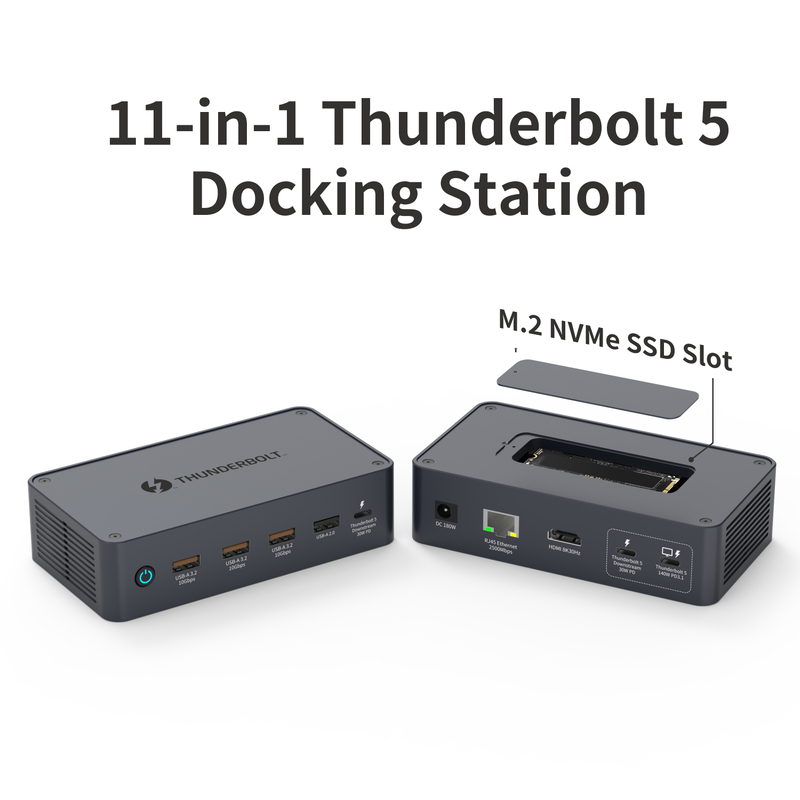
Focused workstation platform 11-in-1 Thunderbolt 5 Docking Station
This model combines an 80 Gbps Thunderbolt 5 host connection with up to 140W PD 3.1 host charging. Its interface set includes 10 Gbps USB, 2.5 Gbps Ethernet, display outputs, and an integrated M.2 NVMe SSD slot.
It is a useful starting point when a brand wants high-speed storage and network expansion without moving to the largest port count.
View the 11-in-1 Thunderbolt 5 dock 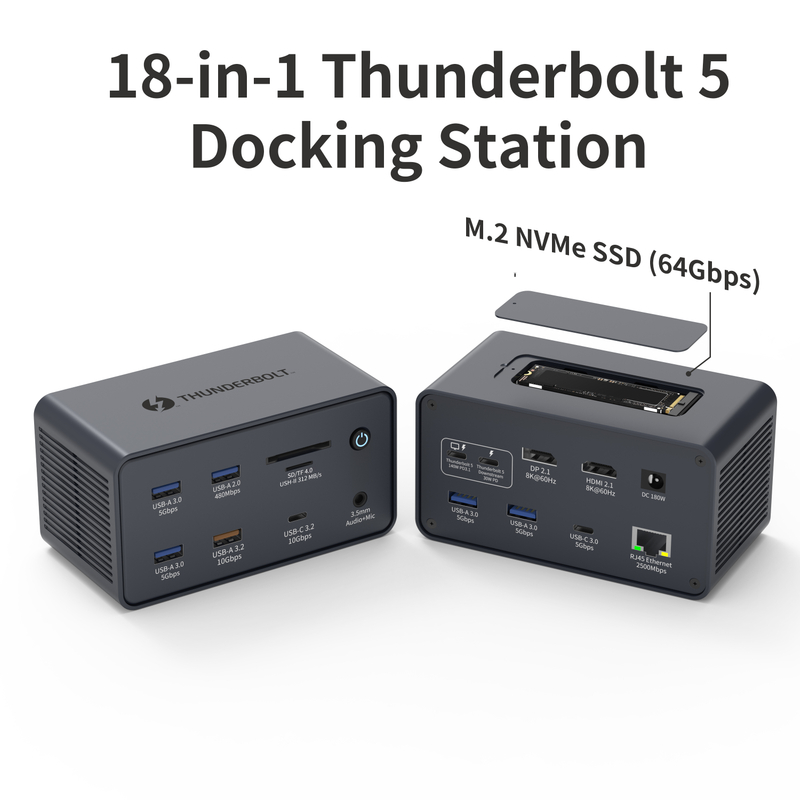
Expanded desktop platform 18-in-1 Thunderbolt 5 Docking Station
This platform uses an 80 Gbps Thunderbolt 5 host connection and supports up to 140W PD 3.1 host charging. It adds a wider interface set with HDMI 2.1, DisplayPort 2.1, a downstream Thunderbolt 5 port, 2.5 Gbps Ethernet, USB ports, card readers, audio, and an M.2 NVMe SSD slot.
It suits product plans built around a full desktop setup. Final display modes and simultaneous workloads should be matched to the target host and operating system during validation.
View the 18-in-1 Thunderbolt 5 dock How Should You Validate an OEM Thunderbolt 5 Dock?
A sample should be tested as a complete system, not as a list of isolated ports. Build the test plan around the equipment and workloads your customers will use.
A practical pre-production checklist
Confirm the host matrix. Test the planned laptop models, operating systems, firmware versions, and Thunderbolt modes.
Run the display matrix. Check each planned resolution and refresh rate, then test the required multi-display combinations.
Apply simultaneous load. Use displays, storage, Ethernet, USB devices, and charging together to reveal shared-bandwidth or power limits.
Check thermal behavior. Monitor stability during long transfers, charging, display use, and M.2 storage activity.
Review cables and power. Match cable capability, host charging, dock input, and the power adapter package to the final specification.
Lock the production baseline. Record approved hardware, firmware, materials, labels, packaging, and acceptance tests before the order scales.
Where Yuanshan Fits an OEM Thunderbolt 5 Project
Yuanshan develops USB-C hubs and docking stations for OEM and ODM programs. Our OEM and ODM services can work from customer specifications or support design, prototyping, testing, and production. Private labeling and custom packaging are also available.
Those services do not replace a clear technical brief. They work best when the brand, distributor, and factory agree on the host matrix, port behavior, included accessories, validation standard, and production documentation at the start of the project.
Questions to Settle Before Requesting a Quote
Which host computers and operating systems must the product support?
Which display combinations are required, and which are optional?
What host charging level and regional power package are needed?
Which interfaces must operate at full load at the same time?
Does the project need an M.2 slot, card readers, 2.5 Gbps Ethernet, or downstream Thunderbolt?
What logo, color, housing, labeling, packaging, and manual changes are required?
Which samples, reliability checks, compliance documents, and inspection records are needed before shipment?
How will firmware, component, and specification changes be controlled after approval?
Choose the Platform Around the Finished Use Case
The best OEM Thunderbolt 5 hub for 2026 is the platform that meets a defined host, display, power, data, and production plan. Compare the required interfaces first, then validate the complete system under realistic load.
Thunderbolt 5 docking stations