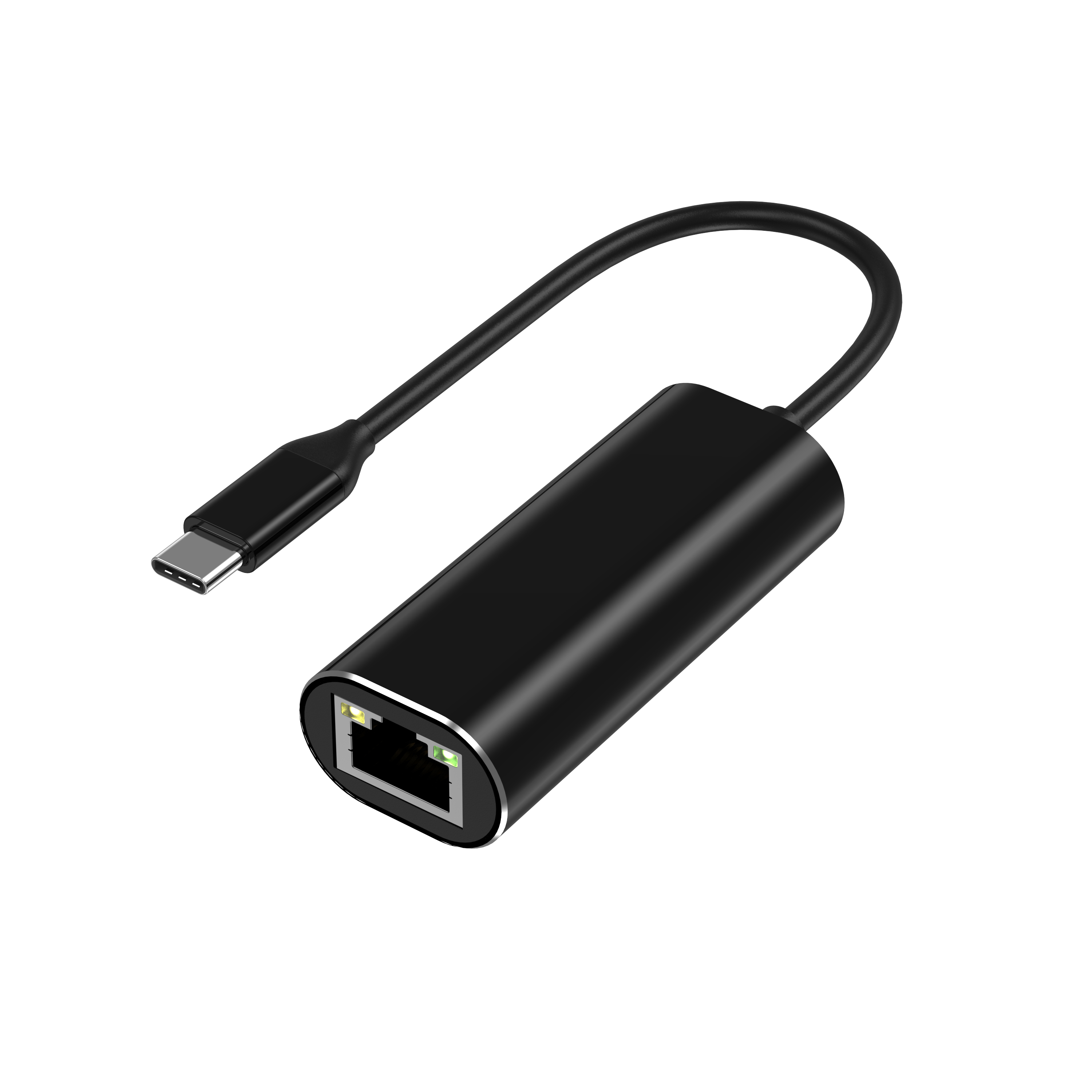
Modern business laptops have eliminated built-in RJ45 ports. This shifts the burden of reliable wired network connectivity to external peripherals. Today, mobility dictates hardware design. Thinner chassis leave no room for traditional network jacks.
Consumer-grade dongles are insufficient for enterprise IT environments. Retail adapters often use generic, unverified internal components. Random disconnects plague these cheaper units. Driver conflicts frequently disrupt daily workflows. Furthermore, they lack critical enterprise feature support, such as PXE boot capabilities. These shortcomings create massive, unnecessary helpdesk overhead for your internal teams.
For IT procurement and fleet managers, selecting the right hardware is a strategic decision. You must balance chipset stability, network security, and supply chain reliability. A robust adapter ensures seamless integration into your existing infrastructure. This guide explores the technical parameters, durability standards, and sourcing strategies necessary to deploy network peripherals across enterprise environments effectively.
Key Takeaways
Enterprise-grade deployment requires hardware-level support for PXE boot and MAC Address Passthrough for secure imaging and tracking.
The choice between 1Gbps and a 2.5Gbps Ethernet adapter depends on your internal network infrastructure and heat-dissipation requirements.
Sourcing a private label Ethernet adapter directly from an OEM ensures locked Bills of Materials (BOMs), preventing sudden chipset swaps that break standard OS images.
Physical durability—specifically strain relief and aluminum housing—significantly reduces replacement costs for bulk laptop adapter deployments.
Defining Success Criteria for a Corporate Laptop Accessory
Evaluating a corporate laptop accessory demands a distinct mindset. Consumer reviews focus heavily on aesthetics and superficial speed tests. Enterprise IT requires predictable reliability at scale. We must look closely at how the device interacts within a locked-down network environment.
The Helpdesk Perspective
The ultimate goal for your IT helpdesk is zero-touch deployment. Devices must work instantly upon insertion. The network hardware must be strictly plug-and-play across the company’s standard OS image. Whether your fleet runs Windows 10, Windows 11, macOS, or specific Linux distributions, manual driver installations are unacceptable. Manual installations require administrator privileges. This forces users to submit IT tickets simply to connect to the internet. Standardizing on recognized, natively supported chipsets eliminates this major friction point.
Network Security Requirements
Enterprise network security relies heavily on device identity. Consistent MAC addresses are vital for 802.1x port authentication. They also power endpoint management systems. Consumer dongles often present their own unique MAC address to the network switch. This behavior causes severe tracking issues. It obscures the identity of the actual laptop connecting to the network. Enterprise-ready networking peripherals support MAC Address Passthrough. This feature allows the laptop to present its system-level MAC address to the switch. It ensures security policies apply correctly to the user, regardless of which adapter they use at their desk.
Cost vs. IT Support Time
Procurement teams often face pressure to minimize upfront hardware expenses. However, choosing the absolute cheapest option introduces severe downstream liabilities. Saving a couple of dollars on a white-label consumer dongle often results in hours of wasted IT support time. When drivers fail, employees lose connectivity. Productivity stops immediately. Helpdesk technicians must then diagnose the failure, manually install patched drivers, or replace the faulty unit entirely. The labor expense of just one helpdesk ticket far exceeds the initial savings generated by purchasing sub-standard hardware.
Standalone vs. Hubs
Many organizations debate whether to deploy multi-port docks or dedicated single-function connectors. Briefly, a dedicated USB-C to RJ45 adapter provides distinct advantages in specific scenarios. Dedicated adapters offer predictable bandwidth allocation. They do not share the data bus with 4K external monitors or massive USB storage drives. This isolation guarantees stable network performance. Single-function devices also exhibit significantly lower failure rates. They generate less heat and contain fewer internal failure points compared to complex multi-port hubs.
Technical Evaluation: Chipsets, Bandwidth, and Enterprise Features
Hardware specifications dictate field performance. You cannot evaluate network peripherals based on external casing alone. The internal components determine compatibility, longevity, and enterprise feature support.
Chipset Stability is King
The internal network controller chip handles all data processing. Two manufacturers dominate the enterprise space: Realtek and ASIX. Realtek chipsets, specifically the RTL8153 and RTL8156 series, offer exceptional stability. ASIX chipsets also provide robust performance across various operating systems. Verifying native OS driver support is essential. Both Apple and Microsoft integrate Realtek and ASIX drivers directly into their modern operating systems. This native integration ensures the device initializes immediately upon connection. It prevents the need for manual driver downloads, avoiding security risks and helpdesk bottlenecks.
Bandwidth Capabilities
Network infrastructure dictates your bandwidth requirements. You must align your peripheral purchases with your current and future switch capabilities.
1Gbps (Gigabit): This remains the current baseline for most corporate environments. Gigabit controllers are highly stable. They are incredibly power-efficient. They run cool even under sustained heavy loads.
2.5Gbps Adapters: The emerging standard for modern workplaces. A 2.5Gbps Ethernet adapter handles Wi-Fi 6/6E backhaul requirements easily. It dramatically accelerates large file transfers for video editors or data analysts. However, higher speeds generate more heat. This necessitates superior thermal engineering, often requiring rigid aluminum casing to dissipate thermal buildup effectively.
Below is a technical comparison chart to assist your evaluation process:
Feature Category
1Gbps Standard Adapter
2.5Gbps Advanced Adapter
Common Chipset
Realtek RTL8153 / ASIX AX88179
Realtek RTL8156B
Heat Generation
Low (Suitable for plastic or metal)
Moderate to High (Metal casing required)
Primary Use Case
General office tasks, CRM, email
Video editing, large dataset transfers
Switch Compatibility
10/100/1000 Mbps
10/100/1000/2500 Mbps (Auto-negotiation)
PXE Boot & Wake-on-LAN (WoL)
Preboot Execution Environment (PXE) capabilities are non-negotiable for enterprise deployments. PXE boot allows a laptop to boot directly from a network server before the local operating system loads. IT departments rely heavily on this feature. It enables remote OS imaging, automated zero-touch provisioning, and system recovery. Wake-on-LAN (WoL) acts as a companion feature. It allows administrators to wake up powered-down machines remotely. This is crucial for overnight patching, security updates, and automated software rollouts. Cheap retail dongles rarely support these hardware-level commands, rendering remote fleet management impossible.
Why IT Procurement Prefers an OEM USB-C Ethernet Adapter
Sourcing strategy matters just as much as technical specifications. Buying random batches from consumer electronics retailers introduces severe inconsistencies into your IT ecosystem. Partnering directly with a manufacturer solves these fundamental problems.
The Locked BOM Advantage
A Bill of Materials (BOM) lists every exact component used inside a device. Retail brands frequently change internal chipsets to maximize their profit margins. They will swap a premium controller for a cheaper alternative without ever changing the external SKU or packaging. This practice destroys IT driver consistency. You might buy fifty units today that work perfectly. Next month, you buy fifty more of the exact same model, but they fail to connect. Procuring an OEM USB-C Ethernet adapter guarantees a locked BOM. The manufacturer commits to using the exact same chipset for the entire lifecycle of your contract.
Customization and Branding
Direct manufacturer relationships offer valuable customization options. Sourcing a private label Ethernet adapter allows you to tailor the hardware to your exact physical and software requirements. You can specify custom MAC address ranges to simplify network management. You can also request specific physical modifications. Adding blank spaces for company asset tags ensures clean inventory tracking. Laser-etching the company logo directly onto the casing deters office theft. Employees are less likely to accidentally take home hardware clearly marked as corporate property.
Supply Chain Resilience
Global logistics remain volatile. Relying on retail consumer stock leaves your onboarding process vulnerable. Buying your bulk laptop adapter inventory directly from an OEM secures consistent lead times. You gain access to scalable Minimum Order Quantities (MOQs). Furthermore, you receive direct warranty support. You bypass the retail middlemen completely. If a batch exhibits defects, you communicate directly with the factory engineers to resolve the issue swiftly.
Form Factor, Durability, and Field Implementation Risks
Hardware deployed to mobile workforces faces intense physical abuse. Employees shove adapters into tight laptop bags. They yank cables hurriedly at the end of meetings. Physical durability significantly impacts the replacement cycle.
Cable Strain Relief
Identify the cable-to-connector joint. This is the absolute number one point of failure in the field. Constant bending weakens the internal copper wiring. Eventually, the connection becomes intermittent or fails entirely. Look closely at the strain relief design. Reinforced Thermoplastic Elastomer (TPE) provides excellent flexibility and resilience. Braided nylon shielding adds another layer of robust protection against daily friction and crushing forces.
Thermal Management
Network controllers process millions of data packets per second. This processing generates distinct thermal output. Consumer plastic housings often act as insulators. They trap the heat inside the device. Under sustained heavy network loads, the internal chip will aggressively throttle its performance to prevent permanent damage. This throttling manifests as sudden speed drops or disconnected sessions. Metal alloy enclosures act as necessary passive heatsinks. Aluminum, in particular, pulls heat away from the chipset efficiently. This maintains stable network speeds even during massive data migrations.
Connector Tolerances
USB-C ports can lose their mechanical grip over time. A loose connection causes instant packet loss. You must evaluate the OEM’s internal insertion-cycle testing standards. High-quality manufacturers test their connectors for 10,000 or more insertion cycles. This rigorous testing ensures the metal prongs retain their spring tension. A secure, tactile "click" upon insertion guarantees a stable connection for both deskbound and hybrid workers.
Physical Durability Checklist:
Verify extended strain relief boots at both ends of the cable.
Ensure the primary housing utilizes an aluminum alloy for heat dissipation.
Confirm the manufacturer utilizes seamless, deep-drawn USB-C connectors rather than folded metal.
Check the cable flexibility; stiff cables place undue stress on the laptop's motherboard ports.
The Shortlisting Logic: Vetting Your B2B Manufacturer
Finding a reliable supplier requires a structured evaluation process. You must look beyond marketing brochures and verify their engineering capabilities directly.
Compliance and Certifications
Enterprise hardware must meet global regulatory standards. Ensure the manufacturer provides verifiable CE, FCC, RoHS, and REACH documentation. Do not accept self-certified claims or forged certificates. Ask for laboratory test reports from independent testing agencies. These documents prove the device meets electromagnetic interference standards. They also ensure the materials contain no restricted hazardous substances, maintaining workplace safety compliance.
Testing Protocols
Quality control separates elite manufacturers from basic assemblers. Ask detailed questions about their testing methodology. How do they test for packet loss on the assembly line? Do they utilize automated loopback testing? Crucially, you must verify cross-brand compatibility. The manufacturer should maintain a testing lab featuring current models from Dell, Lenovo, HP, and Apple. Broad testing prevents edge-case compatibility issues when deploying adapters across a diverse, multi-vendor laptop fleet.
Sampling and Pilot Phasing
Never execute a bulk purchase order based solely on a spec sheet. We recommend a strict, phased testing workflow to mitigate deployment risks.
Phase
Action Required
Success Metric
1. Engineering Sample
Request 2-3 locked-BOM units from the OEM.
Physical inspection passes durability standards.
2. Lab Validation
Test PXE boot, MAC passthrough, and WoL in IT lab.
Zero manual driver installations required.
3. User Pilot
Deploy to 50 power users for two weeks.
Zero network drop-outs reported to helpdesk.
4. Bulk Deployment
Execute main PO with strict BOM-lock clause.
Consistent performance across the entire fleet.
Conclusion
Selecting the right networking hardware for a business laptop fleet goes far beyond simply matching connector types. It requires a holistic approach. You must align internal chipset capabilities directly with your enterprise security policies and IT deployment workflows. Skimping on physical quality or buying unpredictable retail batches only transfers upfront savings into long-term helpdesk liabilities.
To move forward effectively, audit your current fleet's networking pain points. Identify where drivers are failing or physical connectors are breaking. Next, engage with certified B2B manufacturers. Request locked-BOM samples of their enterprise-grade adapters. Begin your technical validation process in the lab immediately. A rigorous, standardized approach guarantees robust network performance and drastically reduces your internal support burden.
FAQ
Q: Does a USB-C to RJ45 adapter require manual driver installation?
A: Enterprise-grade adapters using premium Realtek or ASIX chipsets rarely require manual drivers. Modern operating systems, including Windows 10/11 and macOS, feature native driver support for these standard controllers. They initialize immediately upon connection. If you purchase cheaper, obscure chipsets, you will likely face manual driver prompts, requiring IT administrator credentials to resolve.
Q: Why is MAC Address Passthrough critical for business networks?
A: Business networks use MAC addresses to authenticate devices via 802.1x policies and assign static IP addresses. Without passthrough, the network only sees the adapter's built-in MAC address. If employees share adapters, network security policies break. Passthrough forces the adapter to clone the laptop's internal system MAC, ensuring accurate device tracking and seamless security enforcement.
Q: Is a 2.5Gbps Ethernet adapter backward compatible with older switches?
A: Yes, absolutely. Advanced 2.5Gbps controllers feature hardware auto-negotiation. If you connect it to an older Gigabit switch, it automatically downshifts to 1Gbps. It will also negotiate down to 100Mbps or 10Mbps if required by legacy infrastructure. This ensures you can upgrade laptop hardware today without immediately overhauling your entire switch infrastructure.
Q: Can we use a USB-C multi-adapter instead of a dedicated Ethernet adapter?
A: You can, but it carries bandwidth sharing risks. Multi-hubs share a single USB-C data bus. If a user runs a 4K monitor, transfers files to a USB drive, and downloads network data simultaneously, the hub may throttle network speeds. Dedicated single-function network adapters guarantee maximum, uninterrupted bandwidth directly to the internal controller.